.png&w=384&q=75)
What Does Message Blocking Mean? a Simple Fix Guide

Message blocking means an SMS is being stopped by your phone's settings, your carrier's rules, or anti-spam filters before it reaches the inbox. In the United States, wireless providers blocked an estimated 14 billion spam texts in 2020, compared with 1.4 billion in 2015, showing that the phrase can describe network filtering as well as a blocked contact.
A reader usually encounters the problem at an awkward moment: a signup screen is waiting for a verification code, the code never arrives, or an automated reply says “message blocking is active.” That wording sounds precise, but it isn't. The message may have been stopped on the sender's device, by the mobile carrier, or by the platform requesting the text.
What Message Blocking Really Means
If a verification code or ordinary text doesn't arrive, message blocking means the SMS was stopped somewhere before delivery. The stopping point may be a blocked contact setting, a carrier restriction on the line, or an automated filter that considers the traffic suspicious.
Those causes sit at different layers, so the same error can require completely different fixes. A blocked contact needs a phone-setting change. A restricted line needs carrier support. A platform account restriction may require account recovery or a support appeal, not another handset adjustment.
The phrase alone doesn't identify the responsible layer. It only signals that delivery failed or that the network returned a blocking response. Apple explains that blocked contacts on iPhone aren't delivered in Messages, while carrier documentation shows that “Message Blocking” can also refer to restrictions on SMS and MMS service. Apple's iPhone guidance makes the device-side distinction clear.
Three Layers Where Messages Get Blocked
A useful analogy is mail delivery. Think of the sender's phone as the mailbox, the carrier as the postal service, and the receiving platform as the building's front desk. A letter can be rejected at any one of those points.
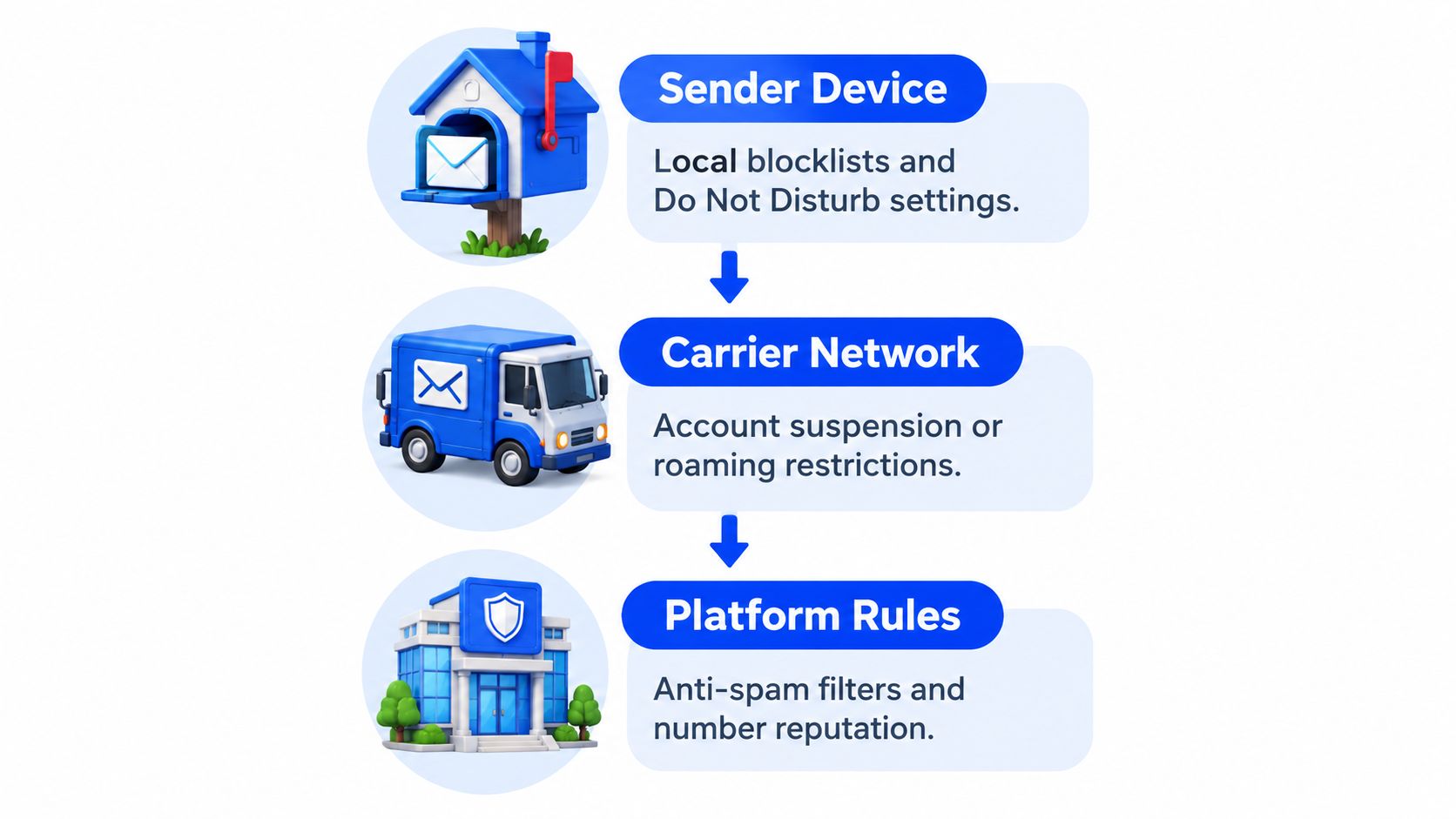
The sender device
A phone can block a number locally. On iPhone, blocked contacts or phone numbers aren't delivered in Messages, and the list is managed in the Messages app or under Settings > Messages > Blocked Contacts, as Apple documents. This is like a mailbox rule that stops one sender before the carrier handles the message.
The carrier network
The carrier controls whether the line is allowed to send or receive certain traffic. T-Mobile, for example, describes Message Blocking as a feature that can block chargeable incoming and outgoing SMS and MMS messages, including some instant messages sent through SMS. Restrictions may affect prepaid, data-only, suspended, or otherwise limited lines.
The platform rules
The service requesting the code can also reject a number or verification attempt. Network filters may drop messages when they detect suspicious content, unusual sending patterns, missing sender registration, or compliance problems. The same layered thinking used to restrict websites on a home network helps here: first identify where the rule exists, then change the rule at that layer.
For a related explanation of temporary numbers and code delivery, see SMS verification services.
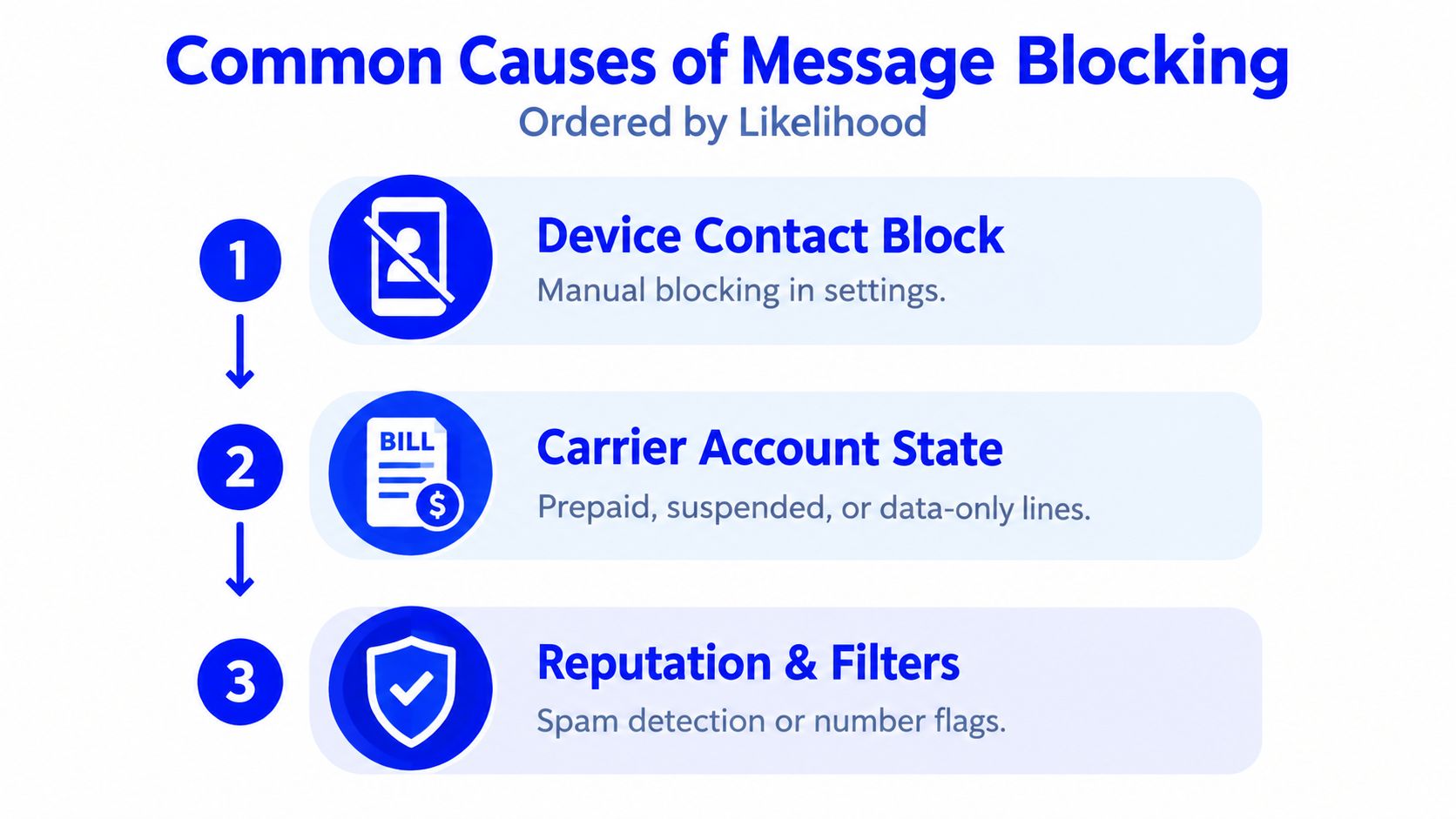
Common Causes of Message Blocking
A text to one person fails, while messages to others arrive normally. Start with the sender device. A device contact block usually affects one number, because the phone stops that contact locally before the carrier processes the message. It works like a mailbox rule aimed at one sender, not a shutdown of the whole mailbox.
A wider failure points to the carrier account state. Prepaid, data-only, suspended, or otherwise restricted lines may have texting disabled. T-Mobile describes carrier-level Message Blocking as able to affect chargeable incoming and outgoing SMS and MMS. The phone can look normal while the network rejects the traffic.
Carrier filtering creates a third possibility. Providers screen unwanted or unlawful traffic at scale, flagging suspicious wording, unusual sending behavior, unregistered senders, or compliance problems. CTIA's 2022 filing adds that annual text volume rose from more than 1 trillion to more than 2 trillion messages over the same period. The figures are documented in CTIA's filing.
That scale explains why a block may occur without anyone manually changing a phone setting. Automated checks can stop a text before it reaches the recipient, so a failed delivery does not automatically prove that the contact is blocked.
The third layer is the platform account restriction. A service requesting a verification code may reject a number type, decline the attempt, or limit the account even when ordinary SMS conversations work. A successful chat therefore does not confirm that the platform accepts the number. For related guidance on temporary numbers and code delivery, see SMS verification services.
What the Error Message Can and Cannot Tell You
The wording “message blocking is active” doesn't reveal the exact cause. It can appear when a carrier has disabled texting on an account, when a contact is blocked, or when network protections reject a message. In some cases, the network drops the SMS without returning a clear error at all.
The error establishes one useful fact: the message didn't complete the expected delivery path. It doesn't establish which layer stopped it, whether the number itself is permanently unusable, or whether the platform requesting a verification code has restricted the account.
Practical rule: Treat the error as a location warning, not a diagnosis.
Network filters may drop SMS without notice after detecting suspicious content, abnormal sending patterns, missing sender registration, or compliance mismatches. The filtering explanation from Text-Em-All notes that a message can fail before reaching the recipient, with no bounce-back to the sender.
That's why repeatedly requesting a new code can waste time. The next request may follow the same blocked route. Diagnosis should test the device, the line, and the platform separately.
How to Diagnose and Fix Message Blocking
Start with the layer closest to the phone, then move outward.
Check blocked contacts. Review the device's blocked-number list and remove the relevant contact if the block was accidental. On iPhone, the setting is available under Messages and Settings > Messages > Blocked Contacts.
Confirm that SMS is enabled on the line. Check whether the account is prepaid, data-only, suspended, roaming-restricted, or otherwise limited. A phone showing signal doesn't prove that the carrier permits every type of SMS traffic.
Test another recipient or sender. A second test helps separate a contact-specific block from a line-wide restriction. If ordinary messages work but a verification PIN doesn't, the platform, short code route, or carrier filtering deserves closer attention.
Contact the carrier. Ask support to check whether “Message Blocking” is enabled and explain that the issue involves receiving a PIN via SMS short codes. This is the approach recommended by Hinge's verification help guidance.
For detailed outgoing-SMS repair steps, use the guide to “Unable to Send Message Blocking Is Active” rather than repeating that separate walkthrough here.
| Symptom | Likely Layer | First Fix |
|---|---|---|
| One contact can't receive messages | Device or recipient block | Review blocked contacts |
| Several SMS messages fail | Carrier restriction | Check the account and contact the carrier |
| Ordinary texts work, but a code doesn't | Platform or filtering layer | Check the service requirements and request support |
| No clear error appears | Network or platform filtering | Test another route and review account recovery options |
If the platform itself has restricted the account, changing the phone settings or asking the carrier to enable SMS won't deliver the code. For delivery-specific guidance, see how to receive an SMS verification code.
Message Blocking and SMS Verification Codes
Verification troubleshooting depends on whether the person is creating a new account or recovering an existing one. A new signup may request an SMS or voice verification code for the number being entered. Account recovery is different: it usually depends on previously registered security information, identity checks, backup methods, or the provider's recovery process.
If an old recovery number is unavailable, a new number doesn't recover the existing account tied to that old number. Microsoft's guidance says the user must use the account recovery path instead, and successful recovery can require waiting 30 days before security information can be updated. Microsoft's recovery guidance supports that distinction.
Voice verification is also not the same as SMS verification. A number that receives a text may not support voice calls, and a service that offers voice verification may apply different eligibility rules. A temporary verification number should therefore be treated as a narrow tool for a supported new-account flow, not as a permanent personal line.
For legitimate new signups where a supported service accepts SMS verification, LineVerifier lets customers choose a service and country, review the current offer and price, and receive SMS codes through its dashboard. Availability, number type, access duration, price, refund eligibility, and third-party acceptance depend on the selected offer and its current terms. It won't fix a blocked SIM, bypass a platform restriction, or recover an account tied to a previous number.
Businesses evaluating permitted customer messaging may also find background on lead generation via SMS, while readers focused specifically on code workflows can review SMS verification code guidance.
Key Takeaways for Unblocking Your Messages
Identify whether the block is on the device, carrier, or platform. Try the free device and carrier checks first, then use the platform's recovery route when the problem concerns an existing account. Google recommends a recovery phone that receives texts, belongs only to the user, is used regularly, and stays nearby, as explained in its account recovery guidance. A verification number addresses one narrow signup need, while controlled recovery details protect continued access.
LineVerifier offers temporary SMS verification for supported services and countries, with the available number type, price, access period, and terms shown for each offer. Visit LineVerifier to review the current options, and use official account recovery or carrier support when the issue involves an existing account or a blocked SIM.