.png&w=384&q=75)
Blizzard Authenticator Code: Setup and Troubleshooting Guide
You've just finished a long raid or spent hours farming valuable gear. Then Battle.net stops the login and asks for a six-digit Blizzard authenticator code. The password is correct, the account isn't necessarily locked, and repeatedly requesting another code only makes the situation more confusing.
The quickest solution depends on the failure. A fresh code must be entered promptly, while a lost phone, an unsynchronized authenticator, or a second authenticator attached to the account requires a different recovery path. The most important preparation is saving the authenticator's serial and restore details before the device disappears.
Why the Blizzard Authenticator Matters for Your Account
The login prompt can feel like an obstacle when the goal is to get into World of Warcraft. In practice, it's an extra checkpoint between a stolen password and the account itself. Someone who obtains the password still needs access to the attached authenticator or an approved recovery method.
Blizzard publicly announced its authenticator on 26 June 2008 as an added security layer for World of Warcraft accounts. The original physical Blizzard Authenticator generated a six-digit one-time password that changed every minute, and Blizzard later introduced mobile formats, including the Battle.net Mobile Authenticator, first released on 31 March 2009 in the United States and 2 June 2009 in the European Union. These historical details are documented in the Battle.net Authenticator history.
The security trade-off
An authenticator adds friction. The player needs the attached phone or physical device, and a code can fail if it expires before submission. That inconvenience is deliberate. Passwords can be reused, guessed, phished, or exposed through another service. A time-sensitive code or device-bound approval creates a separate barrier.
Readers who want a broader explanation of the model can review this guide to two-factor authentication explained. The key distinction is simple: the password is one authentication factor, while the authenticator supplies another factor based on possession of the registered device.
That makes account hygiene important. A unique password helps protect the first factor, while a properly maintained authenticator protects the second. Guidance on good password examples can help with the password side, but it won't replace the need to maintain access to the attached authenticator.
Practical rule: Treat the authenticator's serial and restore details as account-recovery information, not as disposable setup text.
How to Set Up the Battle.net Mobile Authenticator
The setup process should be completed while the account is accessible and the phone is in the user's possession. The Battle.net website provides the account-linking flow, while the mobile authenticator generates the codes used at later sign-ins.
Start with the official Battle.net account area and choose the authenticator option. Download the supported mobile authenticator, then follow the account page's pairing flow. When Battle.net presents a QR code, scan it with the authenticator app and complete the confirmation steps shown on screen.
Save the recovery details immediately
The most overlooked part of setup is recording the serial information and restore code. Blizzard's recovery guidance specifically recommends saving screenshots of these details. A secure password manager, encrypted note, or protected offline record is more useful than leaving the information in a screenshot folder that may disappear with the phone.
The record should be stored somewhere separate from the device running the authenticator. If the phone is lost and the only copy of the recovery information was on that phone, the easiest self-service route may no longer be available.
The authenticator remains associated with the Battle.net account until it's removed or replaced through the account's security controls. Installing the app on a new phone without checking which authenticator is currently attached can create an account-state problem. The safe approach is to confirm the attached authenticator before treating a newly installed app as the active one.
Pair carefully, then test once
Complete the synchronization or confirmation step in the Battle.net flow. The phone's date and time should be set automatically, because a time-based code depends on the device and service remaining aligned. If the setup screen rejects the code, changing the phone's time manually or repeatedly starting a new registration can make diagnosis harder.
A user who needs general context about phone-based account setup can also consult how to create a Google Voice account, but a Google Voice number and a Battle.net authenticator are separate systems. A phone number used for an SMS prompt doesn't generate authenticator tokens.
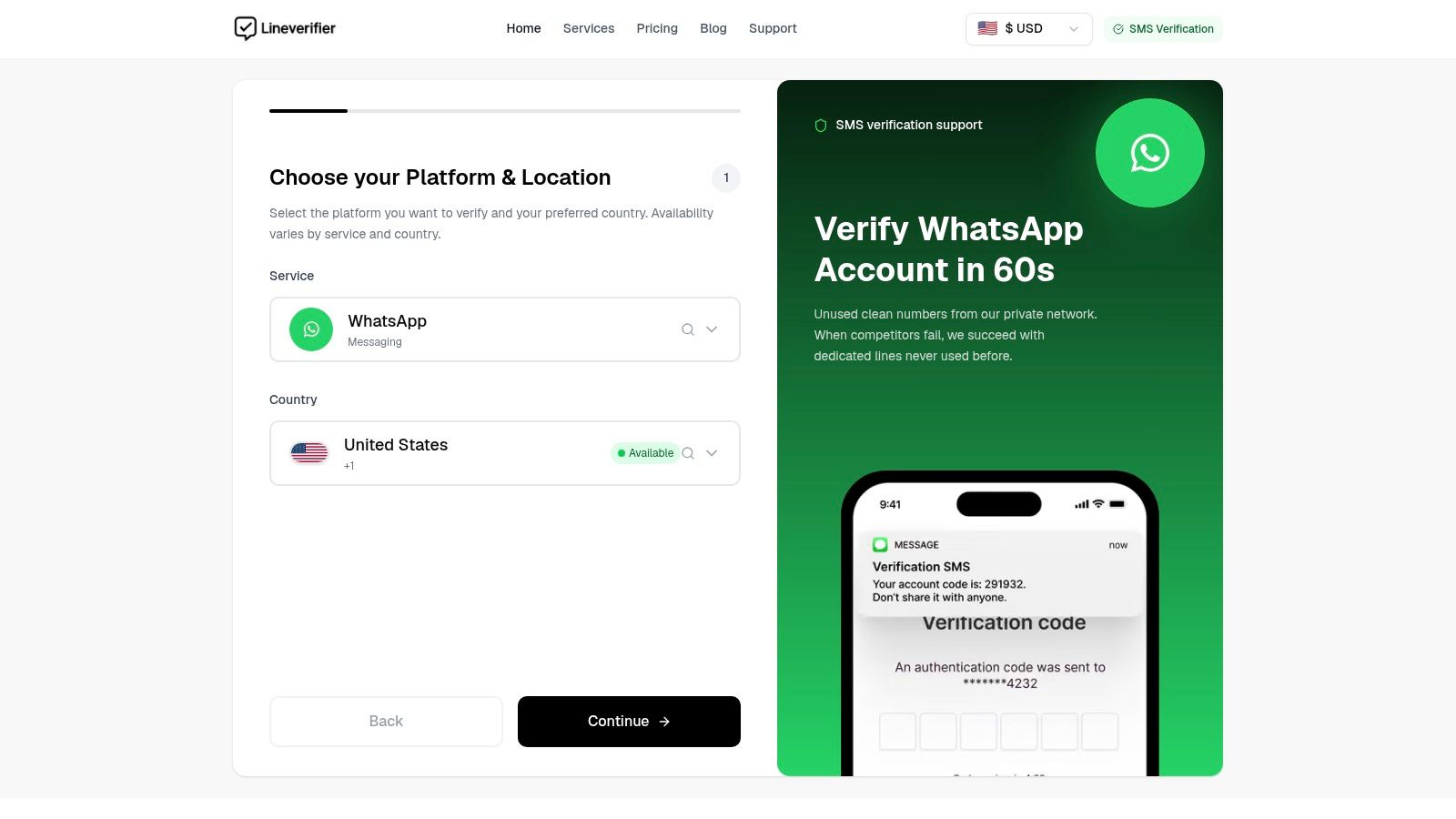
The following visual guide can help readers recognize the type of setup screen and verification flow involved:
After pairing, sign out only if necessary and perform a normal login test. Don't remove the old authenticator or attach another one merely because the first code takes a moment to validate. First confirm the account state and use the recovery details that were saved during setup.
Understanding Authenticator Code Expiration Rules
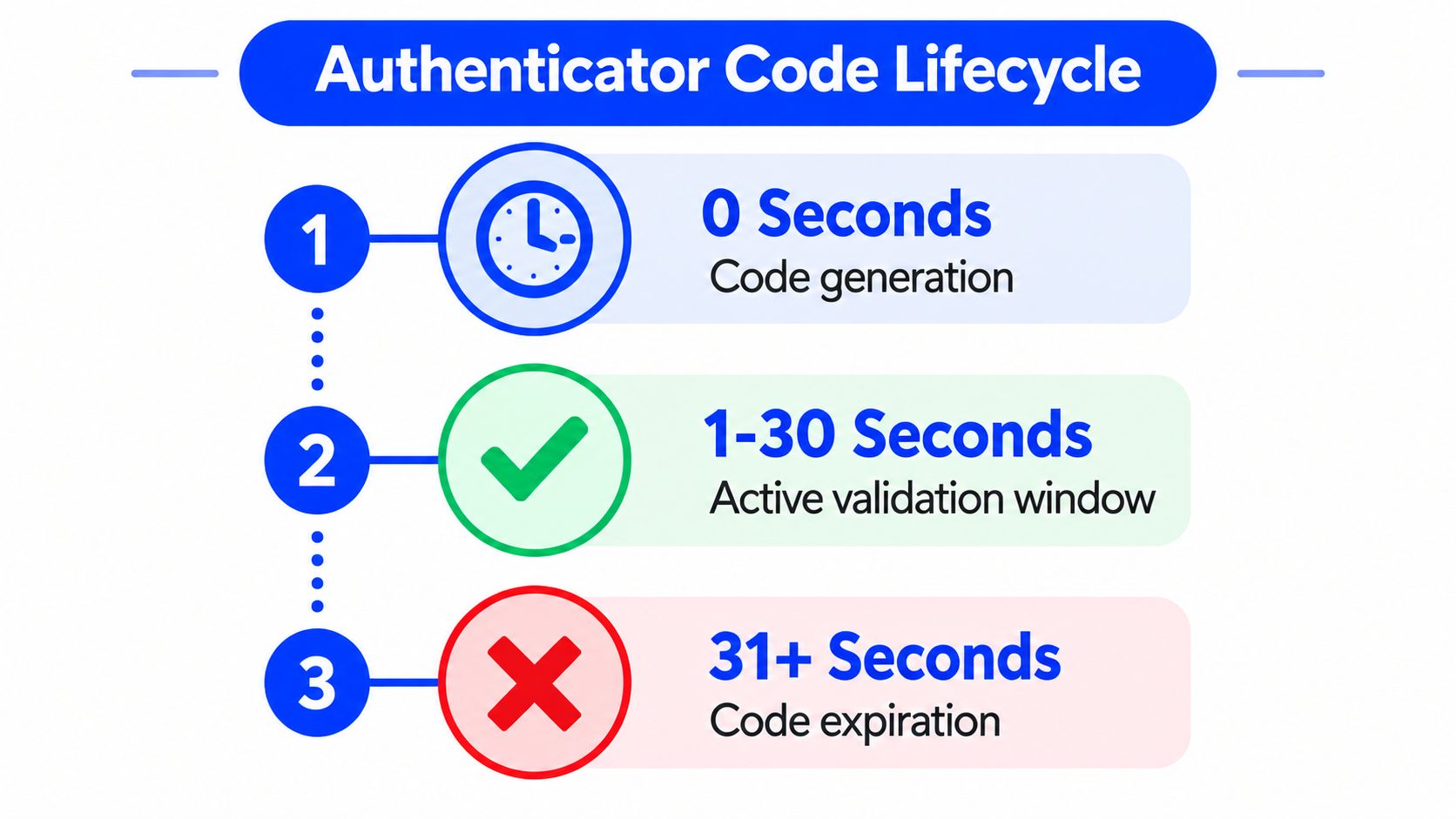
A Battle.net authenticator code isn't a reusable password. Blizzard states that authenticator codes expire after 30 seconds, and requesting another code invalidates the previous one. Those rules are set out in Blizzard's official authenticator troubleshooting guidance.
The reliable entry sequence
The common mistake is reacting to a failed submission by generating several more codes. That creates a moving target. The code that was visible a moment earlier may already be invalid because a newer request replaced it.
Use this sequence instead:
- Generate or display one code. Don't request multiple codes while the first one is still available.
- Enter the most recent code immediately. Check the digits carefully and submit without unnecessary delay.
- If it expires, wait for the next cycle. Use the new code once it appears rather than trying an older value.
- If several codes were requested, use only the last one received. Earlier codes have been invalidated by the newer request.
This workflow deals with the timing problem without turning it into an account-recovery problem. It also prevents a user from mistaking a stale token for evidence that the authenticator is broken.
What the error usually means
A rejected code can result from more than one cause. Incorrect Battle.net credentials, an old code, or a browser that has retained problematic cookies can all interrupt login. If the page seems unresponsive rather than clearly rejecting the token, Blizzard recommends clearing the browser cache and cookies or switching browsers.
The code should be treated like a short-lived key. Generate once, type promptly, and stop requesting replacements unless the displayed code has expired.
A code that fails once doesn't prove that the account has a duplicate authenticator or that the phone is defective. Repeated failures after a clean, immediate entry point toward synchronization, attachment, device, or browser-state checks.
Troubleshooting Missing or Invalid Authenticator Codes
Troubleshooting works best when the account state is separated from the device state. A phone can display a valid-looking token while the account is attached to another authenticator, and a correct token can appear to fail because the browser session is stale.
Start with the least disruptive checks
Confirm that the user is opening the authenticator currently attached to the Battle.net account. If a new phone was set up without removing or replacing the old authenticator, don't assume the newest installation is the one Battle.net expects. Check the account's authenticator status through any available account access before registering another device.
Then enter the code manually. Copying or typing a token near the end of its validity window creates avoidable delay, and requesting another code before submitting can invalidate the one already entered. If the current token has expired, wait for the next code and submit that one immediately.
Browser problems deserve a separate check. Clear cache and cookies, close the affected session, and try another browser if the page is stuck or behaves inconsistently. This is especially useful when the login page does not clearly distinguish a rejected code from a failed browser session.
Compare the likely device failures
| What the user sees | More likely explanation | Appropriate next move |
|---|---|---|
| The mobile code is consistently rejected | The authenticator may be out of sync or not the one attached to the account | Use the official resynchronization or reattachment path |
| A physical device no longer produces usable codes | The device battery may be depleted | Replace the device through account recovery rather than retrying indefinitely |
| A second phone was recently configured | The account may still expect the original authenticator | Confirm the attached device and remove or replace the old one through Battle.net |
| The page hangs or behaves strangely | Cache, cookies, or browser state may be interfering | Clear browser data or switch browsers |
| The serial information doesn't match the account | The recovery details may belong to another authenticator or account | Follow account recovery rather than guessing |
Blizzard's device guidance explains that mobile authenticators can become desynchronized and that physical authenticators can fail when their battery is depleted. It also advises resynchronization or reattachment for invalid-code errors, while a serial mismatch should lead the user to review the account recovery route. The relevant official instructions are available in Blizzard's authenticator recovery guidance.
A duplicate authenticator should be handled as an account configuration issue, not solved with blind retries. Repeatedly entering codes from different devices can obscure which authenticator is active and waste the short validity window.
Account Recovery Paths When You Lose Access
Lost-device recovery depends on what access remains. The route is different for someone who can still open the Battle.net account and someone who is blocked before reaching the account settings.
When the account is still accessible
If the user can sign in through another approved method, open the account security or Account Details area and remove the old authenticator or attach a replacement. If the phone number is still linked and SMS Protect is active, SMS-based identity verification may help remove the old authenticator and connect a new one.
The serial number and restore code are valuable here. Blizzard's lost-authenticator recovery options include restoration with those details when they're available. A saved screenshot or protected record can turn a lost phone into a manageable replacement task rather than a full ownership dispute.
The practical order is:
- Confirm remaining access. Determine whether Battle.net accepts the password, an authenticator code, SMS Protect, or another approved verification method.
- Identify the attached authenticator. Don't attach a replacement until the old device's status is clear.
- Use the serial and restore information. Apply it through Blizzard's supported restore process if the details are available.
- Remove or replace the old device. Finish the account change before relying on the new phone.
- Save the new recovery information. The replacement setup needs its own protected record.
When login access is gone
A new phone number doesn't recover an existing Battle.net account that remains tied to its previous number. The user must recover the account first, using Blizzard's Battle.net Recovery service or the support route available for the ownership problem.
This distinction matters because a temporary SMS number cannot impersonate the lost authenticator. It doesn't generate Battle.net authenticator codes, restore the old device binding, or replace Blizzard's identity checks. Buying an SMS number before identifying the actual recovery barrier usually wastes money and leaves the account state unchanged.
If SMS verification is available, it must use the phone number linked to that Battle.net account. Blizzard's recovery documentation treats the linked number as part of the account's identity record, not as a generic destination for any incoming text.
Updating a linked phone number
Users who still have account access can update or remove the number from Account Details. Blizzard says the change can be verified with an authenticator code, an SMS code when SMS Protect is active, or an email code sent to the registered address. Users who can't access the account must recover it first, then change the number through the account controls, as explained in Blizzard's phone-number management guidance.
A number can be associated with only one Battle.net account at a time. If Blizzard says the number is already linked elsewhere, the user must sign in to that other account and remove it, use Battle.net Recovery to identify the account, or follow Blizzard's request for a phone bill showing the owner's name and number. Blizzard also requires a mobile number to belong to the same country as the Battle.net account and not be a VoIP number, according to its mobile-number requirements.
Distinguishing SMS Verification from Authenticator Codes
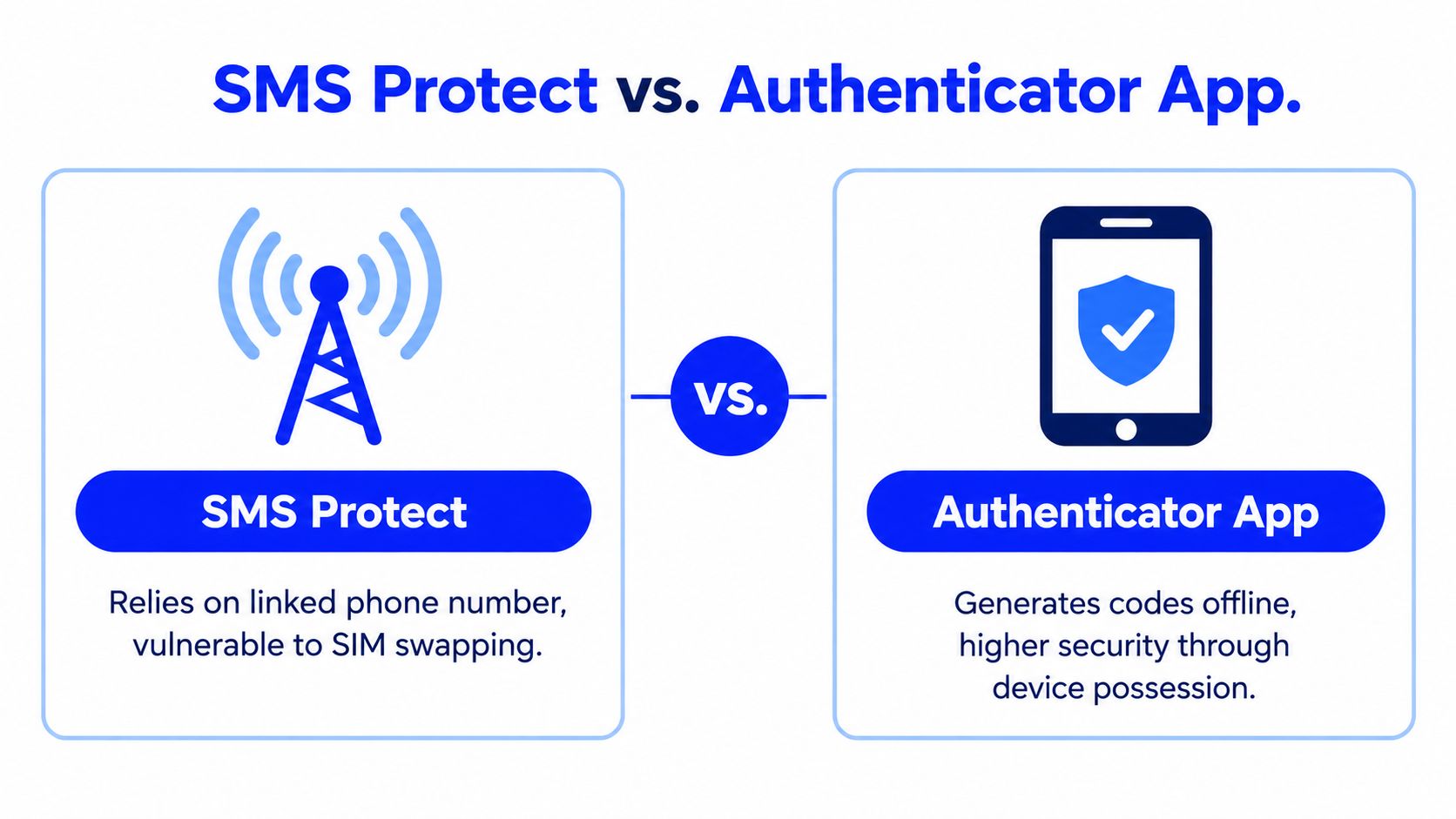
The phrase “verification code” covers two different systems on Battle.net. Authenticator codes come from the attached authenticator and are time-sensitive. SMS Protect codes are sent to the phone number linked to the account and support particular identity and recovery actions.
An authenticator app doesn't need an incoming text for every login. It produces the token through the attached authenticator, while SMS Protect depends on the registered number and Blizzard's account-verification flow. A regular phone-verification prompt on another service is not equivalent to either system.
Choose the tool for the actual barrier
| Barrier | Correct resource | What it doesn't do |
|---|---|---|
| The login requests a current authenticator token | The authenticator attached to the account | An SMS number won't generate the token |
| The account offers SMS Protect verification | The linked, eligible phone number | A random new number won't prove ownership of the old account |
| The phone is lost but recovery details exist | Blizzard's restore or replacement flow | Repeated code requests won't restore the device |
| The account is inaccessible | Battle.net Recovery and Blizzard support | A purchased number won't bypass identity checks |
| Another service requests a standard SMS code | A number accepted by that service's current rules | SMS receipt doesn't guarantee voice calls or permanent line access |
A purchased SMS number can sometimes receive a one-time verification message for a supported service, but it doesn't generate a Blizzard authenticator code, remove an authenticator, bypass a ban, defeat a CAPTCHA, or replace an account ownership check. It also doesn't automatically provide a permanent personal phone line. Readers comparing ordinary text-message workflows can review this guide to text message verification codes.
The durable setup is straightforward: keep the authenticator attached to the intended account, store serial and restore details separately, maintain a recovery email and eligible phone number, and use official recovery before purchasing any temporary number. That approach prevents a routine expired token from becoming a much larger account-access problem.
LineVerifier provides temporary phone numbers and an SMS verification dashboard for receiving one-time codes from supported services, with availability, number type, price, access duration, and refund eligibility determined by the selected offer and current terms. Visit LineVerifier only when the required task is supported SMS verification, not Battle.net authenticator recovery or identity verification.