.png&w=384&q=75&dpl=dpl_4LaKVgMDgXFAWjUxtUQQSP7dGFic)
Telegram Too Many Attempts Try Again Later Fix Guide

Telegram's “too many attempts, please try again later” message is a temporary server-side rate limit caused by too many login or code requests, not a permanent ban. Stop all retries, let the cooldown expire, then make one clean login attempt.
The frustrating part is that the obvious responses, tapping resend again, switching from SMS to a call, opening another device, or changing networks, can keep the restriction active. A reader may be sitting in front of a Telegram login screen with no code, while every new attempt makes the same warning appear. The safest response is controlled and deliberately uneventful: pause the login flow, check whether Telegram has already delivered the code elsewhere, and wait before trying again.
What Telegram Too Many Attempts Try Again Later Means
When Telegram displays this message, its authentication system has detected a cluster of requests associated with a phone number, network, device pattern, or request frequency. The service temporarily limits further attempts to reduce automated abuse. Telegram's own documented growth helps explain why this type of protection matters. It reported over 100,000,000 monthly active users in February 2016, then 200,000,000 monthly active users by March 22, 2018, doubling in 25 months (Telegram's official 100 million users announcement).
That scale doesn't turn an ordinary login mistake into a ban. In practical terms, the “telegram too many attempts try again later” message is a temporary authentication rate limit. Repeated submissions during the active restriction can prolong the cooldown, so pressing the same button harder won't solve the underlying problem.
There are two situations that often get mixed together:
- New account verification means a person is registering Telegram with a number that isn't already being used to recover an existing account.
- Existing-account recovery means Telegram is trying to authenticate an account connected to its previous phone number. A different new number won't restore that account.
SMS and voice verification also belong to the same login decision. Switching between them repeatedly isn't a clean workaround, because each new request can add to the activity Telegram is limiting. Telegram's official FAQ also provides useful context on login codes, existing sessions, and account access, so readers comparing terminology can review this BUNCH Telegram terms overview.
Practical rule: A cooldown is a waiting problem first. Treating it as a code-delivery problem and requesting more codes can make the wait harder to clear.
For code-specific delivery issues, the existing guide on Telegram not sending a code is the better next reference. The important distinction is timing: if Telegram has already shown the flood-control message, repeated delivery tests should stop.
Why the Limit Triggers and How to Recognize It
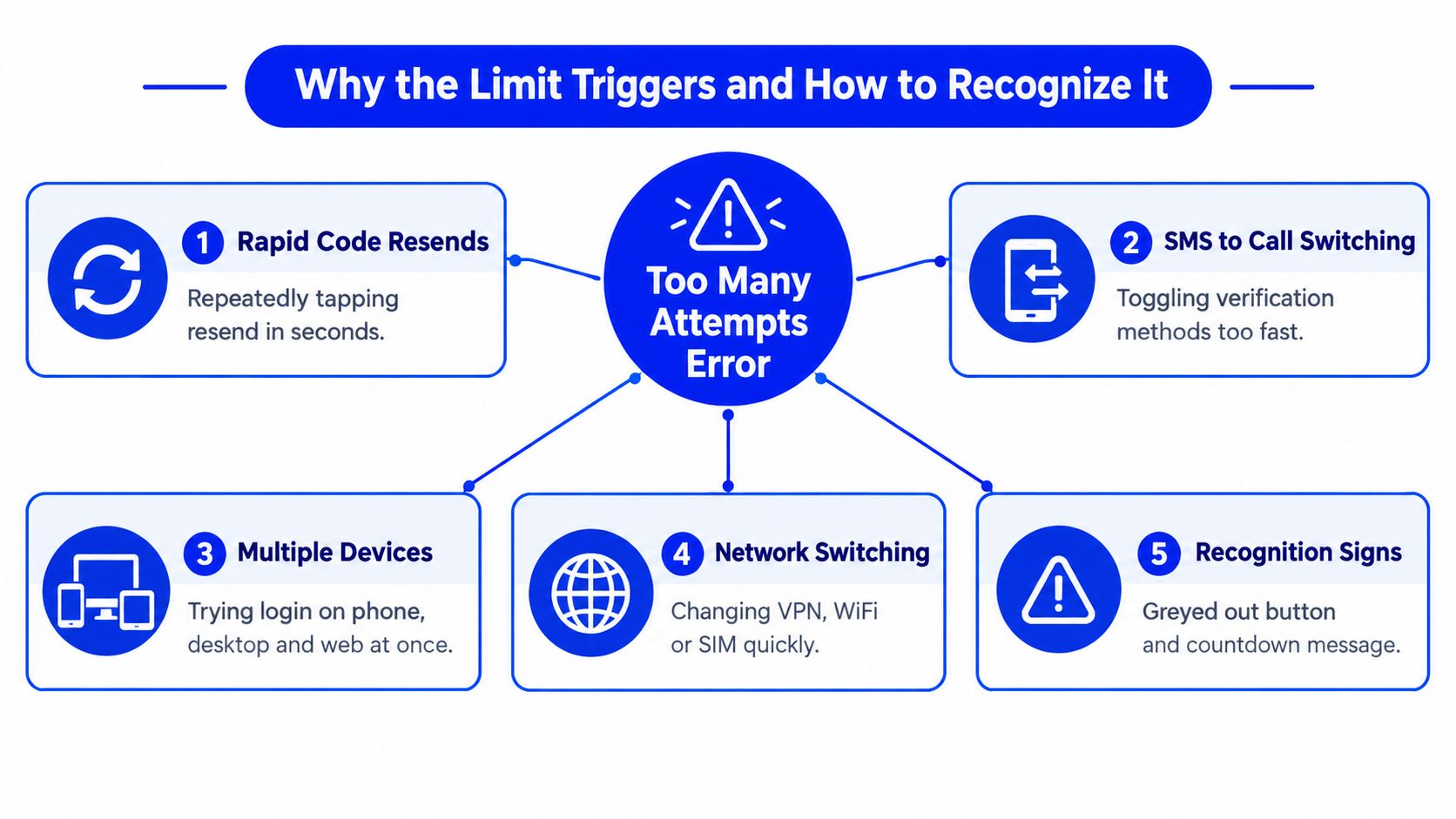
Telegram's limit usually follows clustered authentication activity, not one isolated typo. Rapid resend taps are the clearest trigger. A person may request a code, see no message immediately, tap resend, choose a call, return to SMS, and then repeat the process on another client. From the server's perspective, those actions form a concentrated sequence of authentication requests.
The same pattern can appear across devices or networks. Trying the phone app, Telegram Desktop, and Telegram Web in quick succession adds more requests. Changing from Wi-Fi to mobile data, or repeatedly changing a VPN or proxy, can also introduce inconsistent signals while the original phone-number restriction remains active. A network change therefore isn't a reliable escape route, and it may add more variables to an already limited login flow.
The diagnostic clue in Telegram Web
Telegram Web can sometimes expose a technical flood-wait string such as FLOOD_WAIT_XXX, where XXX represents the remaining number of seconds before another attempt is allowed, as described in technical guidance on Telegram's too-many-attempts error. If that value appears, it confirms that the server is enforcing a timed restriction rather than merely failing to deliver an SMS.
The restriction can relate to the phone number, IP, or request frequency. That's why changing the number is not an account-recovery method. A new number may begin a separate registration flow, but it won't reconnect a pre-existing Telegram account tied to its former number.
Before trying anything paid, readers should check the official options already under their control:
- Existing sessions: Look at Telegram on a phone, desktop computer, or browser where the account may still be signed in.
- Number ownership: Confirm that the full number is entered in international format and belongs to the person attempting recovery.
- Account objective: Decide whether the goal is registering a new account or restoring an existing one.
- Timer status: If a flood-wait countdown is visible, use it as the controlling signal instead of guessing.
What to Do Right Now Without Making It Worse
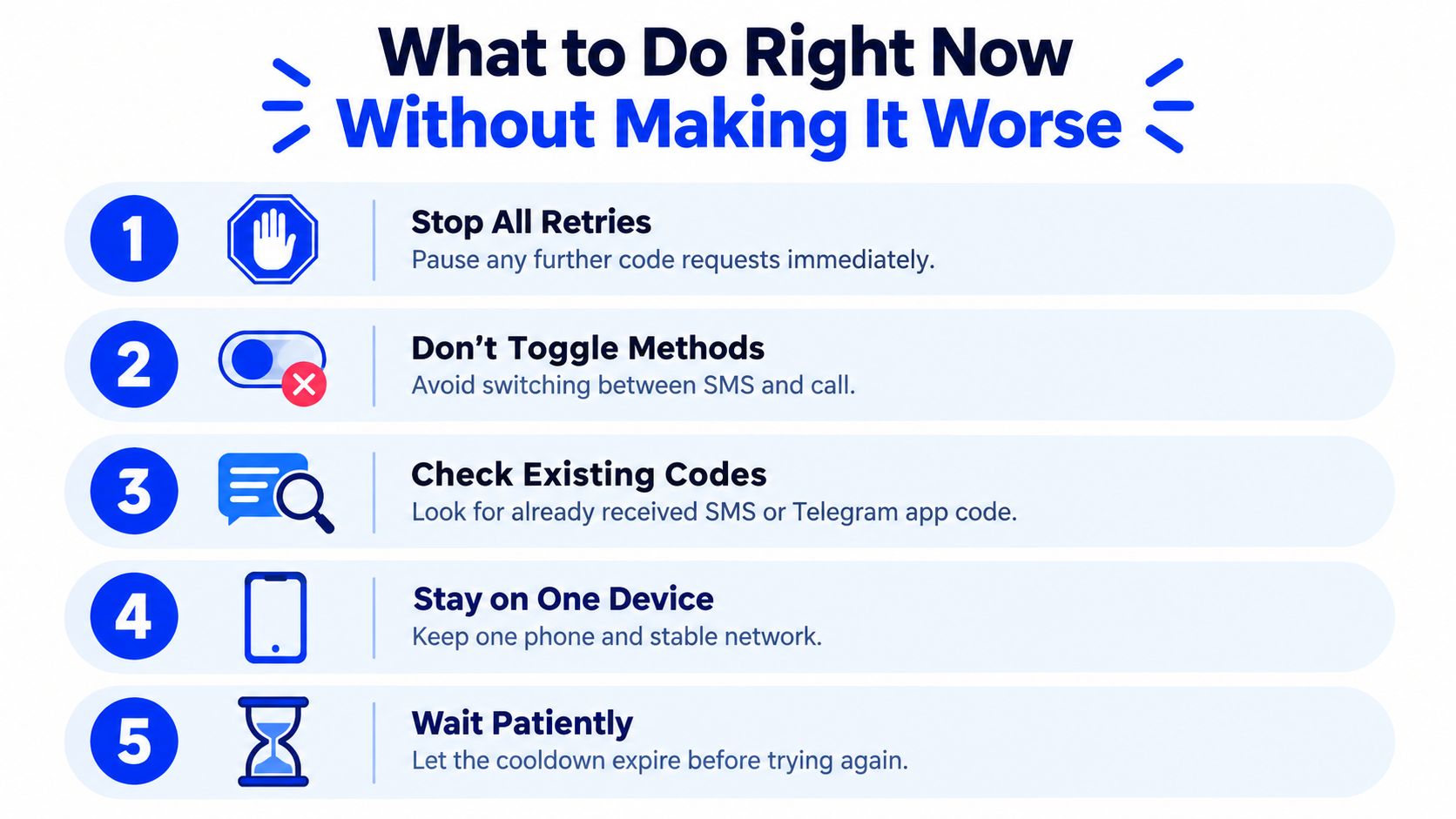
The immediate workflow should be simple, even though it feels slower than experimenting. Close the repeated login flow, stop requesting codes, and avoid switching between SMS and voice verification. Independent troubleshooting guidance recommends waiting for the temporary limit to expire and then making exactly one new attempt through the official Telegram app or web client (Telegram login troubleshooting guidance).
The pause-and-check workflow
Stop all requests. Don't tap resend, request a call, or submit the number again. Each action creates more authentication activity while Telegram is already limiting the flow.
Check an existing Telegram session. Telegram may send a login code inside an already active Telegram session instead of by SMS. Open the app on any phone, tablet, desktop, or browser where the account remains signed in and inspect the official Telegram service chat or login notification.
Keep one stable path. Once the cooldown has ended, use one device and one stable connection. Avoid VPN or proxy changes during the clean retry because they can complicate the signals Telegram evaluates.
Verify the number before submitting. Enter the complete international-format number, confirm the country code, and make sure the number is the one linked to the account. This check matters more for recovery than for a fresh registration.
Retry once. After the displayed timer has expired, submit one login request in the official app or web client. If the request fails for a separate reason, record the exact message instead of immediately repeating the submission.
A compact decision check helps prevent impulsive retries:
| Current situation | Safer action |
|---|---|
| A flood-wait countdown is visible | Wait until it reaches zero |
| Telegram is active on another device | Check that session for the code |
| The number may be incorrectly formatted | Correct it once, then stop |
| SMS and call have both been requested repeatedly | Don't request either again during the lockout |
| No existing session is available | Wait, then use one official client for one retry |
Troubleshooting methods from unrelated systems can illustrate why controlled testing matters, but they shouldn't be applied as Telegram workarounds. For example, readers working with production traffic can consult GoReplay's troubleshooting production traffic mirroring, while Telegram login recovery should remain limited to a clean, low-frequency retry.
How Long to Wait and When to Contact Telegram Support
Telegram doesn't publish one fixed cooldown threshold or duration for every account. Independent guidance commonly describes waits ranging from a few hours up to 24 hours, but that range isn't a promise for a particular phone number or session (Telegram login problem guidance on flood-wait timing). The visible FLOOD_WAIT_XXX value is more useful than a general estimate when Telegram shows it, because it indicates the remaining seconds for that specific restriction.
Waiting means waiting through the complete active period. Trying again just before the timer ends can create another failed request and may extend the restriction. The cleanest sequence is to stop, inspect existing sessions, confirm the number format, wait for the timer or reasonable cooldown window to finish, and then make one attempt.

Use official recovery before escalation
Telegram's FAQ and support process should come before a paid verification option when the reader is recovering an existing account. A different number doesn't recover an account attached to the previous number, and no temporary SMS service should be presented as a substitute for proving control of that original number.
If waiting doesn't resolve access, submit a clear description through Telegram's official support form. Telegram's support channel asks for the problem description, full legal name, and email address. The request should identify the phone number in international format, explain whether the issue concerns a new registration or existing-account recovery, mention the exact error, and state whether another Telegram session remains available.
Support works better with precise facts: Include the exact on-screen message and the steps already taken, but don't send a stream of repeated requests while waiting for a response.
Readers managing support operations for their own teams may also review a Chatgrow AI support solution, but third-party support tools can't change Telegram's server-side login limit. Official recovery remains the appropriate path for an account tied to a number the user needs to retain.
For broader coverage of this exact error, the related too many attempts, try again later guide provides adjacent troubleshooting context without changing the central rule: stop the request loop.
How to Prevent Repeat Lockouts and Use a Dedicated Number Wisely
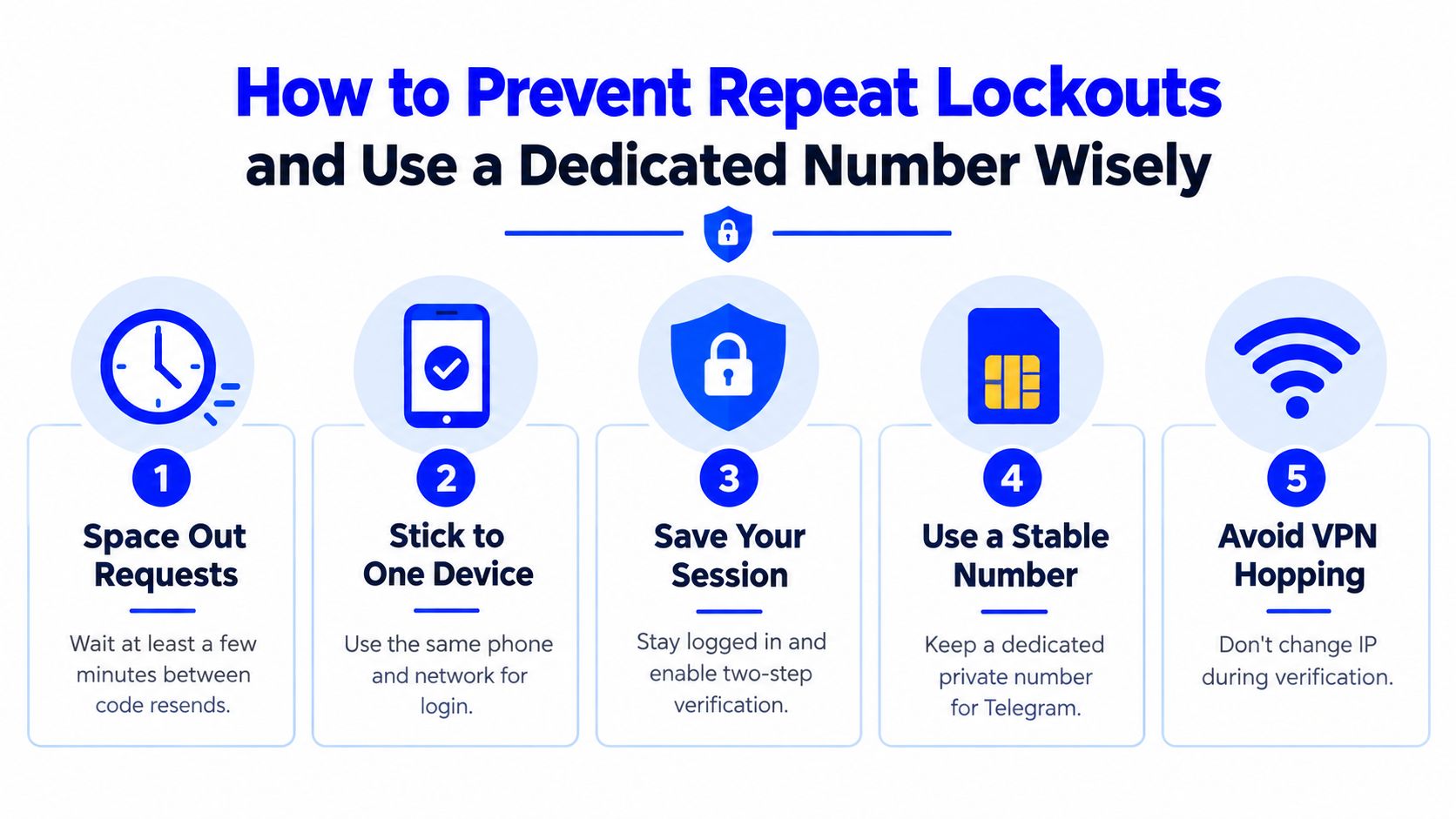
Prevention starts with treating Telegram's code request as a controlled transaction, not a conversation with a slow SMS gateway. Submit the number once, wait for the available delivery method, and avoid building a sequence of resend experiments around a delayed message. Multiple guides warn that additional attempts during an active restriction can extend the cooldown (guidance on preventing Telegram authorization-limit resets).
A stable setup reduces unnecessary variables:
- Use one device during verification. Don't start the same login on a phone, desktop, and browser at once.
- Keep the network consistent. Avoid hopping between VPN endpoints, proxies, Wi-Fi, and mobile data while the code flow is active.
- Preserve an active session. If Telegram is already signed in on another device, keep that session available for future code delivery and account recovery.
- Protect the number. A number used for an important Telegram account should remain under the account owner's control, with recovery methods maintained separately.
- Separate registration from recovery. A dedicated number can support a new account setup, but it cannot restore an existing account linked to another number.
Where a temporary verification number fits
A paid SMS verification service such as LineVerifier can fit a new-account verification workflow when the selected offer supports Telegram and the reader understands the limitations. The reader chooses a supported service and country, reviews the current offer, price, number type, access duration, and any refund eligibility shown in the dashboard, then uses the number to receive an SMS code.
That service doesn't bypass Telegram's rate limits, bans, identity checks, CAPTCHAs, or unsupported number-type rules. It doesn't guarantee acceptance, and receiving an SMS doesn't mean the number supports voice calls or provides a permanent personal phone line. A purchased number also won't recover an existing account tied to a previous number. Readers comparing number characteristics can review the non-VoIP number guide, then follow Telegram's requirements and retain recovery methods they control.
Quick Takeaways to Get Back Into Telegram Safely
The safest response to Telegram too many attempts try again later is to stop interacting with the login screen. Don't request another SMS, don't toggle to a call, don't test several devices, and don't change VPN endpoints in an attempt to force the server to respond.
Use this decision checklist:
- The error is temporary: Treat it as a server-side authentication rate limit, not proof of a permanent ban.
- The code may already exist elsewhere: Check every Telegram session that remains signed in before requesting another code.
- The account goal matters: A new number may support a new registration, but it won't recover an existing account linked to its former number.
- The timer controls the next move: Wait for the visible flood-wait countdown or the cooldown to expire, then make one clean attempt.
- Official support comes first: If access remains unavailable, submit the problem description, full legal name, email address, number, and exact error through Telegram's support channel.
- Prevention is procedural: Use one device, one stable network, and restrained code requests during future verification.
A temporary verification number can be relevant for a new setup when its current offer supports Telegram, but it isn't a cure for a lockout already attached to another number. The immediate next action is therefore clear: stop the retries, check existing sessions, wait fully, and submit once.
For a new Telegram verification flow, LineVerifier lets customers choose a supported service and country, review the current offer and terms, and receive an SMS code through the dashboard. Check the selected offer's number type, access duration, price, and eligibility before deciding whether it fits the account's verification needs.