.png&w=384&q=75)
Discord Phone Number Verification: A Practical Guide
Someone has just created a Discord account, joined a server, and immediately hit a phone verification prompt. The SMS hasn't arrived, the number may already be attached to another account, and switching to a different number feels like the obvious fix. It often isn't.
Discord phone number verification is an account-level trust signal, not the same thing as a server permission setting. The right response depends on whether the reader is verifying a new account, satisfying a server's security level, recovering an existing account, or managing a separate account with a temporary SMS number.
What Discord Phone Number Verification Does
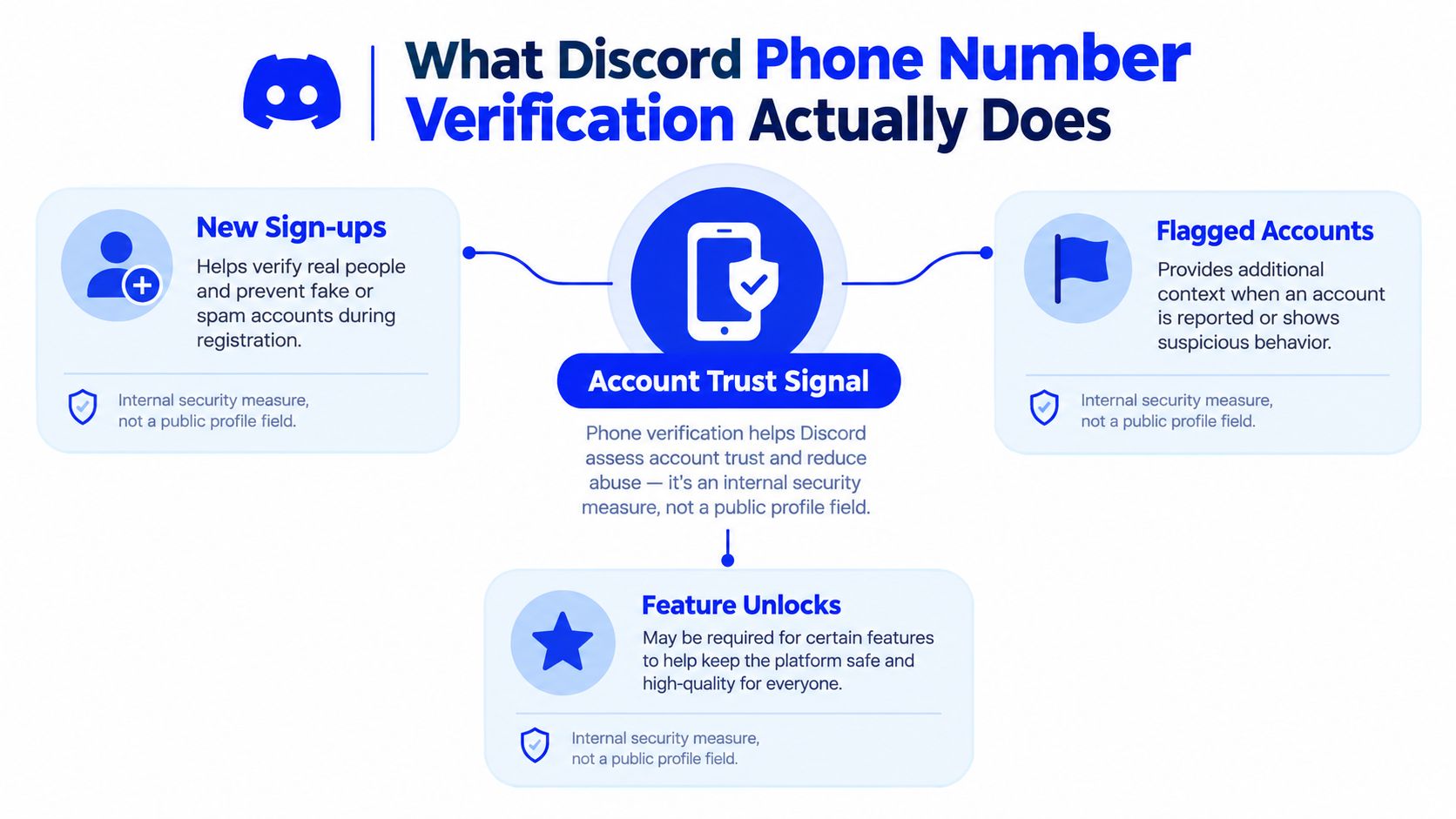
A phone prompt can appear after an account is created, even when the user has done nothing unusual. Discord uses the verified number to strengthen anti-abuse and account-security controls. Its Safety Library states that the highest server verification level requires a verified phone number and explains that phone verification helps reduce abuse by disallowing VoIP numbers. Discord's enhanced verification level also allows enforcement to apply to a phone number as well as an IP address.
That makes the purpose clear. Phone verification functions as a trust signal rather than a contact detail. It gives Discord another way to assess an account and helps servers apply stricter participation requirements.
Account verification and server verification are separate controls. A server owner sets the server's Verification Level under its safety controls, deciding what members must complete before they can participate. Requirements can include a verified email, account age, time spent in the server, and, at the highest level, a verified phone number. Discord's account verification guidance explains that these conditions may apply together, while a verified phone number can supersede the other listed requirements.
Practical rule: Completing account verification does not grant moderator permissions, remove a server ban, or change channel roles. It adds an account trust signal for Discord and, where configured, helps satisfy a server's entry requirements.
Discord can request verification during account creation or later, when its anti-abuse systems require another check. A verified email or multi-factor authentication may also be needed, depending on the account and the security challenge.
A new number cannot recover an account tied to an old number. Adding a different phone number to a new account will not restore access to the original account. Recovery and first-time number verification follow different paths, so identify which account needs attention before submitting another number.
Walking Through the Verification Flow Step by Step
The cleanest route starts inside the account rather than through a server invite. Discord's documented process requires the client to submit an Add Phone Number request first. Discord then sends an SMS code to the submitted number, and the user completes a separate Verify Phone Number step to receive a verification token, as described in the documented phone verification flow.
Start with the account settings
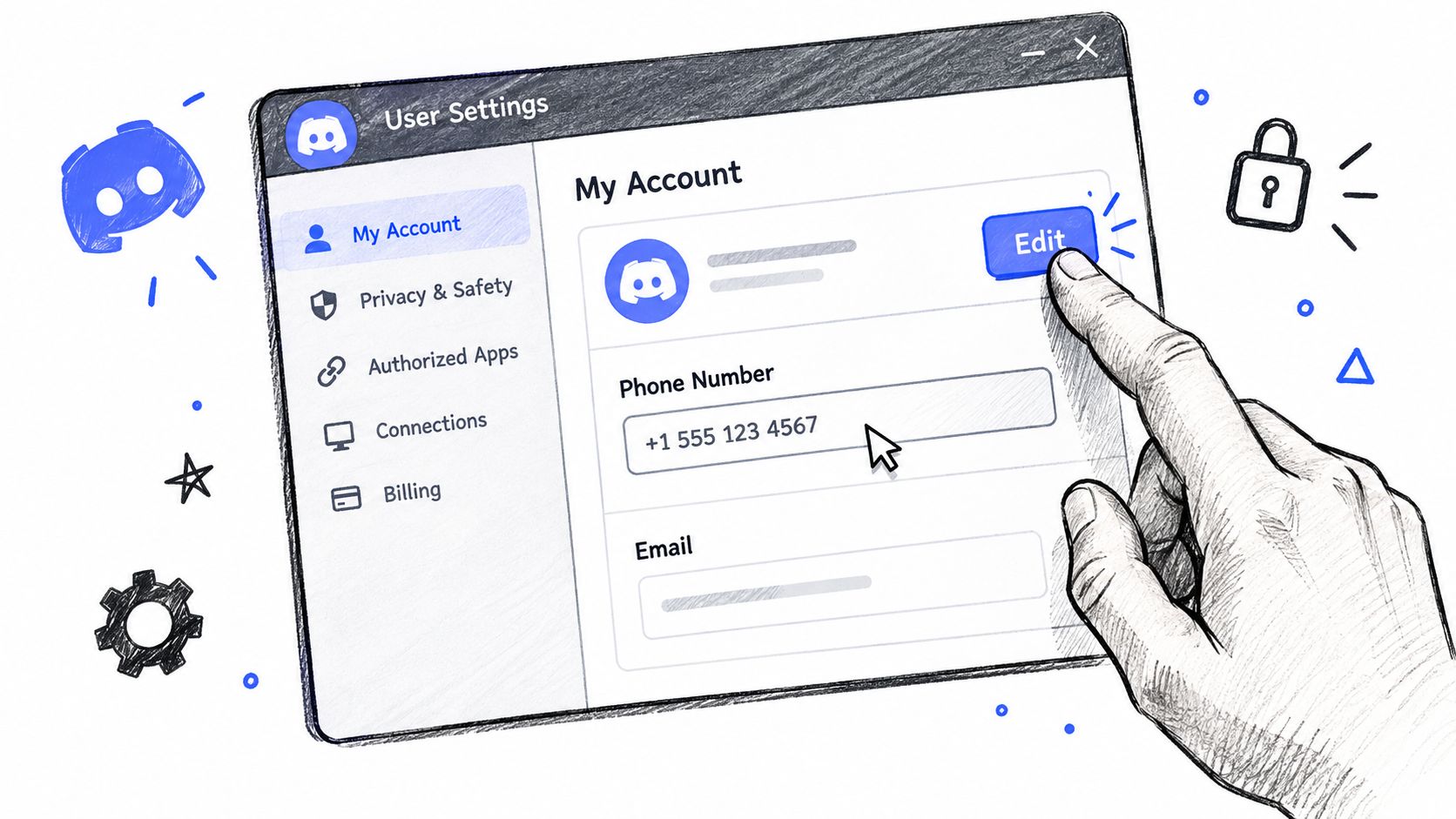
Open Discord and go to User Settings, then My Account. Select Edit beside the phone number field. Discord will ask for a country, so the country selector must match the number's actual country before the number is entered.
The number should be entered in international format, including the country code. A local number can be rejected even when the digits are otherwise valid. The safest approach is to copy the number in its full international form, remove unnecessary spaces if Discord rejects them, and submit it once.
Submit one code carefully
After Discord accepts the number, the SMS code should be entered in the verification dialog. The code expires, so the reader shouldn't leave the screen open while troubleshooting unrelated issues. Requesting another code can invalidate the previous one, and closing the dialog may require the flow to be started again.
A missing message doesn't mean the account is permanently blocked. The reader should first confirm the country code, check the phone's message filtering and carrier service, then request another code only when the original one is no longer useful. Discord's help materials explain that the verification process can be repeated for anti-abuse purposes, so a later prompt doesn't necessarily mean the first verification was technically incomplete.
For readers who are also reviewing broader access controls, PushOps offers a useful CTA guide to access controls covering how verification factors fit into account security.
Once the success state appears, the reader should close and reopen Discord before testing the account. A simple test, such as messaging a non-friend where the server and privacy settings allow it, can confirm whether the account has cleared the relevant restriction. The phone number itself may later appear only in masked form, so keeping the original number and account relationship recorded securely is sensible.
Temporary Verification Numbers Versus a Real Phone Line
A permanent personal line and a temporary SMS number solve different problems. The personal line is usually the stronger choice for a primary Discord identity because the owner controls it over time and can use it again if Discord requests verification. The tradeoff is that the number becomes personally identifiable information held by a third party.
A temporary number is more appropriate for a compartmentalised or short-lived account where keeping a personal line separate matters more than long-term recovery. It may receive the initial SMS, but it shouldn't be treated as a permanent phone line, a voice service, or a guaranteed path through Discord's restrictions. Availability, number type, access duration, price, and refund eligibility vary by the selected service offer.
| Factor | Real Phone Line | Temporary SMS Number |
|---|---|---|
| Control | Usually remains under the account owner's control | Access depends on the selected offer and its stated duration |
| Privacy | Connects a personal number to the Discord account | Can keep a personal number out of the initial verification step |
| Recovery | More practical when the account may need future verification | Poor fit when continued access depends on the same number |
| Reuse | Discord may associate it with only one account at a time | A previously used or flagged number may be unsuitable |
| Best use | Primary identity and long-term account ownership | Separate, limited-purpose account setup |
The important distinction is initial verification versus continuing ownership. A reader choosing a temporary option must preserve another recovery method controlled by the account owner and accept that a later prompt may require access to the same number or another approved method.
The guide to temporary phone numbers for verification provides additional context on the operational differences. No number provider can guarantee that Discord will accept a number, remove a restriction, bypass a ban, pass an identity check, or deliver every requested code.
Troubleshooting Common Discord Verification Errors
The recurring failures are an invalid format, a number already tied to an account, and a code that never arrives. Each points to a different fix, so repeatedly submitting the same number is usually wasted effort. Treat the phone number as a trust signal Discord uses for account controls, not as a box to tick. Account verification also differs from a server's verification level. Completing one does not automatically satisfy every server requirement.
Invalid phone number
Start with the format. Confirm that the selected country matches the number and that the entry includes its international country code. Remove local prefixes and formatting characters if Discord rejects the number.
Check the number type next. Discord's Safety Library guidance connects stronger verification controls with restrictions involving VoIP numbers, so a number that receives messages elsewhere may still fail Discord's requirements. A temporary SMS provider's description does not override Discord's eligibility rules.
If the format is correct and Discord still rejects the number, stop resubmitting it. Choose a different number only when you have a legitimate reason and understand that acceptance is not guaranteed. Verification should support an account you control, not serve as a way around a restriction.
Number already registered
Discord associates a phone number with an account, and this explanation of Discord phone errors states that one number can be linked to only one account at a time. A number used on an earlier account may therefore be unavailable for immediate reuse.
Identify the original account before trying another verification attempt. If that account still exists, use its recovery process. A new number can verify a different account, but it cannot recover an existing account tied to the old number. That is an account-ownership issue, not a server verification-level issue.
Recovery decision: If the goal is access to an old account, stop verifying a new one. Recover the old account or contact Discord support.
If an SMS service supplied the number and it is already associated elsewhere, request a different available number according to that service's terms. This creates a new verification attempt. It does not restore access to the original account.
Verification code never arrives
Recheck the country selection and every digit. Then check whether the phone or carrier blocks short-code or automated messages. Requesting several codes can make earlier messages unusable, so enter the newest code you receive instead of switching between messages.
Discord's support documentation explains that the number is added first and verified through an SMS code afterward. If a careful retry produces no message, stop cycling through requests and contact Discord Support with the exact on-screen error and the account details requested by the support form.
Voice verification is not a dependable fallback. An SMS-receiving number may not support calls, and a purchased number does not guarantee delivery, acceptance, or continued access.
Handling Multi-Account and API Verification Workflows
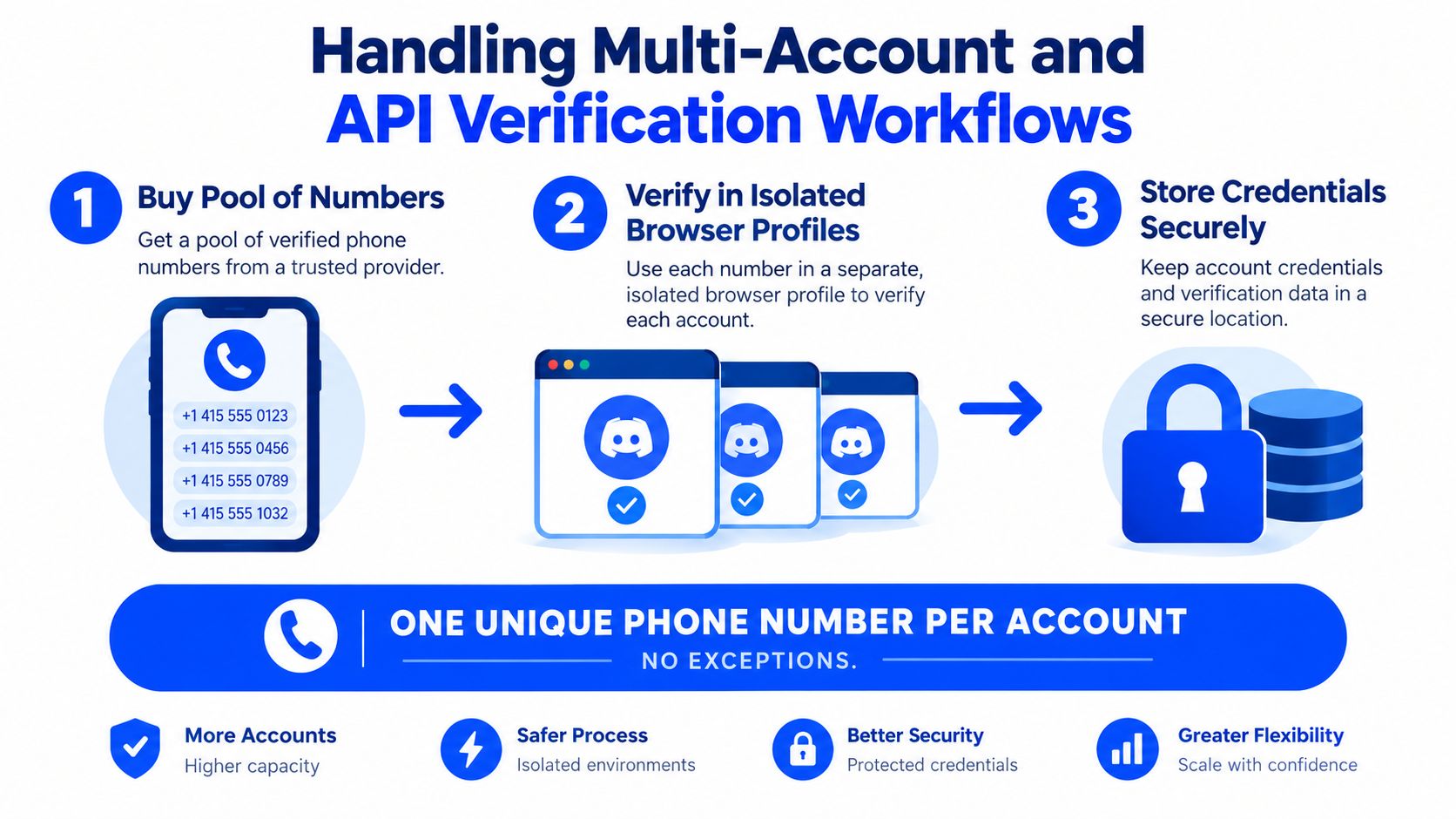
Legitimate multi-account operations need a clear ownership map before any verification begins. Discord's number association rules mean a number should be treated as assigned to one account at a time. A spreadsheet or password manager can record the account identifier, assigned number, date of use, recovery method, and the person authorised to control the account.
A safer workflow separates browser sessions and keeps credentials out of shared notes:
- Assign numbers deliberately. Select an offer whose access terms match the account's expected lifespan, rather than assuming every temporary number remains available.
- Verify accounts in isolated profiles. Separate browser profiles reduce accidental logins to the wrong account and make the number-to-account mapping easier to audit.
- Store the mapping securely. Keep account credentials, recovery methods, and number records in a protected password manager. Don't place them in an unsecured team chat.
- Retire flagged assignments. If Discord rejects a number or marks it for additional review, don't keep forcing the same attempt. Record the issue and follow the platform's support path.
For developers, the distinction between an official Discord account flow and a third-party SMS-receive API matters. A service API may expose an endpoint for retrieving an incoming code, but that doesn't make Discord account creation an authorised automation workflow. Discord's documented flow is a user-facing account process, and automated account creation or coordinated account activity can create terms-of-service and anti-abuse risks.
Teams comparing communication tooling can also browse Discord integration for context on how Discord may fit into broader workflows. Integration tooling doesn't replace Discord's own verification requirements.
The guide to getting a second phone number for verification is relevant when the operational need is separation, but every account still needs a defensible ownership and recovery plan. SMS services commonly charge according to the selected offer and received message, so teams should review current terms rather than assume unlimited reuse or permanent access.
Privacy Tradeoffs and Best Practices Before You Submit
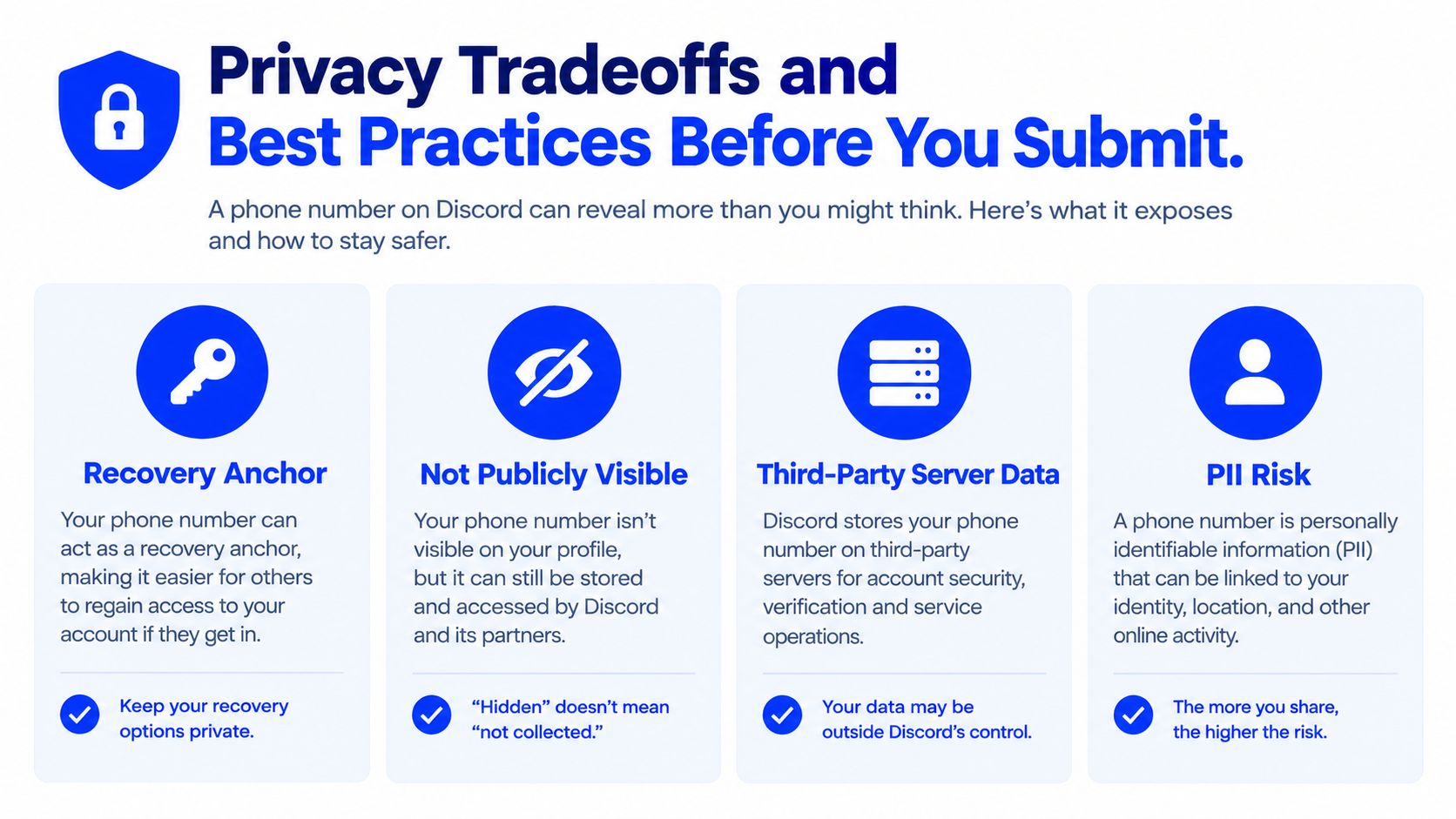
A Discord phone number isn't just a checkbox. It can function as a trust and recovery-related identifier while remaining separate from the public profile. That still means the number becomes personal data stored on a third-party service.
Discord's privacy policy says a verified phone number may be required for account verification or security. It also states that certain information, including phone numbers, can be retained for 180 days after account deletion for trust-and-safety purposes. Anyone treating temporary verification as an instantly erased transaction is making the wrong assumption.
A personal line offers stronger continuity, but it ties the account more closely to a real-world identity. A temporary number can provide better compartmentalisation for a limited-purpose account, yet it may offer weak recovery value once access ends. Neither option removes the need for a verified email, secure credentials, and recovery methods the account owner controls.
The decision should be straightforward:
- Primary identity: Use a personal line when the account is important and long-term recovery matters.
- Separate account: Consider a temporary SMS number when the account has a legitimate, limited-purpose role and the selected offer's terms are acceptable.
- Multiple accounts: Keep each number assignment separate. Don't assume one number can safely support several accounts.
- Privacy-sensitive setup: Review what the provider retains, how long access lasts, and whether the number supports SMS only.
- Blocked attempt: Use Discord's support route instead of trying to evade a restriction with repeated numbers.
Before submitting any number, the reader should complete this checklist:
- Unique assignment: Confirm that the number isn't already attached to another account.
- Recovery mapping: Store the account and recovery relationship securely.
- Retention awareness: Check applicable regional data-retention rules and the platform policy.
- Provider policy: Read the SMS provider's deletion, access-duration, refund, and number-reuse terms before purchase.
- Security backup: Keep a verified email and other recovery methods under the account owner's control.
Readers comparing number types can use this explanation of what a virtual phone number is before choosing an SMS-only option. LineVerifier offers temporary numbers for receiving SMS verification codes on supported services, including Discord, with availability and offer terms shown at selection. Readers who need that specific option can visit LineVerifier, review the current Discord offer, and verify that its number type and access terms fit the account's intended use.