.png&w=384&q=75&dpl=dpl_4LaKVgMDgXFAWjUxtUQQSP7dGFic)
Bumble Phone Number: Setup, Verification, and Fixes
A lot of people search for a Bumble phone number when three different problems are happening at once. One person is trying to sign up and needs the code. Another has changed phones and wants the account back. A third keeps requesting a code that never arrives and assumes the number itself is the issue.
Those are different jobs, and they need different fixes. Bumble's own materials make the reason clear: the company says members are required to provide a phone number to help prevent multiple accounts and fraud, and its privacy policy says phone numbers may be used to verify identity and safeguard users through account security features in its privacy policy.
Three Things People Actually Mean by Bumble Phone Number
Most readers don't need a vague checklist. They need to identify which of these situations applies right now.
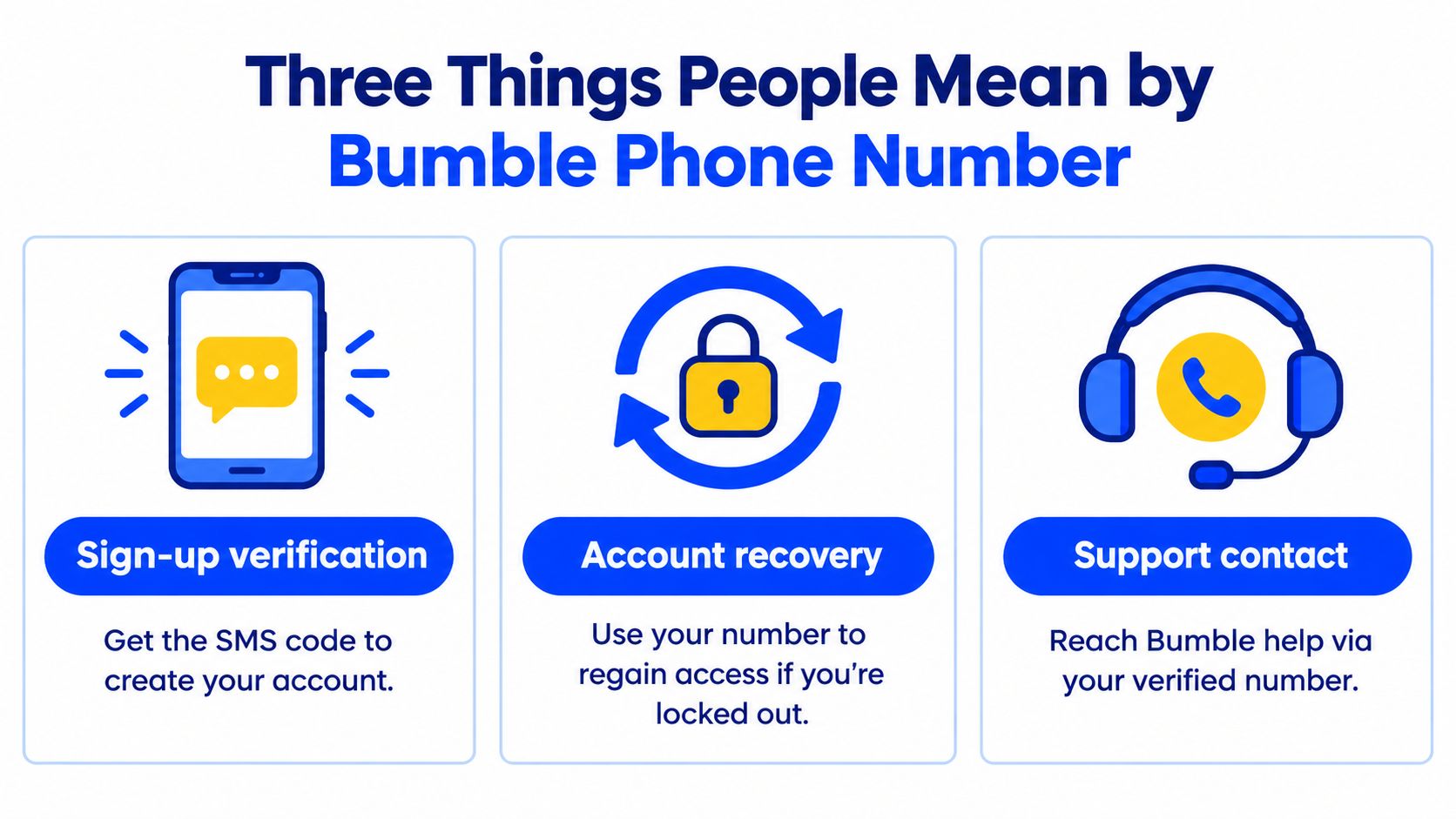
Sign-up verification
This is the simplest case. A new user needs a number that can receive Bumble's verification message or call during account creation. If the code arrives and is entered correctly, the account setup continues.
Account recovery
This is different. Recovery starts when someone already had a Bumble account but lost access to the original line, changed devices, or switched numbers. A different new number won't automatically recover an existing account that was tied to the previous one.
Practical rule: A number that works once for sign-up isn't always the same thing as a number that will still be available later for recovery or security prompts.
Troubleshooting a failed code
Many searches come from this situation. The user still has the intended number, but the verification code is delayed, filtered, rejected, or rate-limited. In that case, buying another number or changing strategy too early often creates more confusion than it solves.
There's also a fourth meaning that gets mixed in by mistake. Some people mean “How do I call Bumble support?” That isn't the same as account phone verification, profile verification, or changing the number on file. Bumble's phone-number requirement is about account access and security, not a public profile detail.
How Bumble Verifies Your Number During Sign-Up
A common sign-up failure looks simple at first. The number is entered, the screen waits for a code, and nothing useful arrives. In Bumble's own phone verification help article, the sign-up flow is narrower than many readers expect. It is built around immediate access to the number during account creation, either by text or by call.
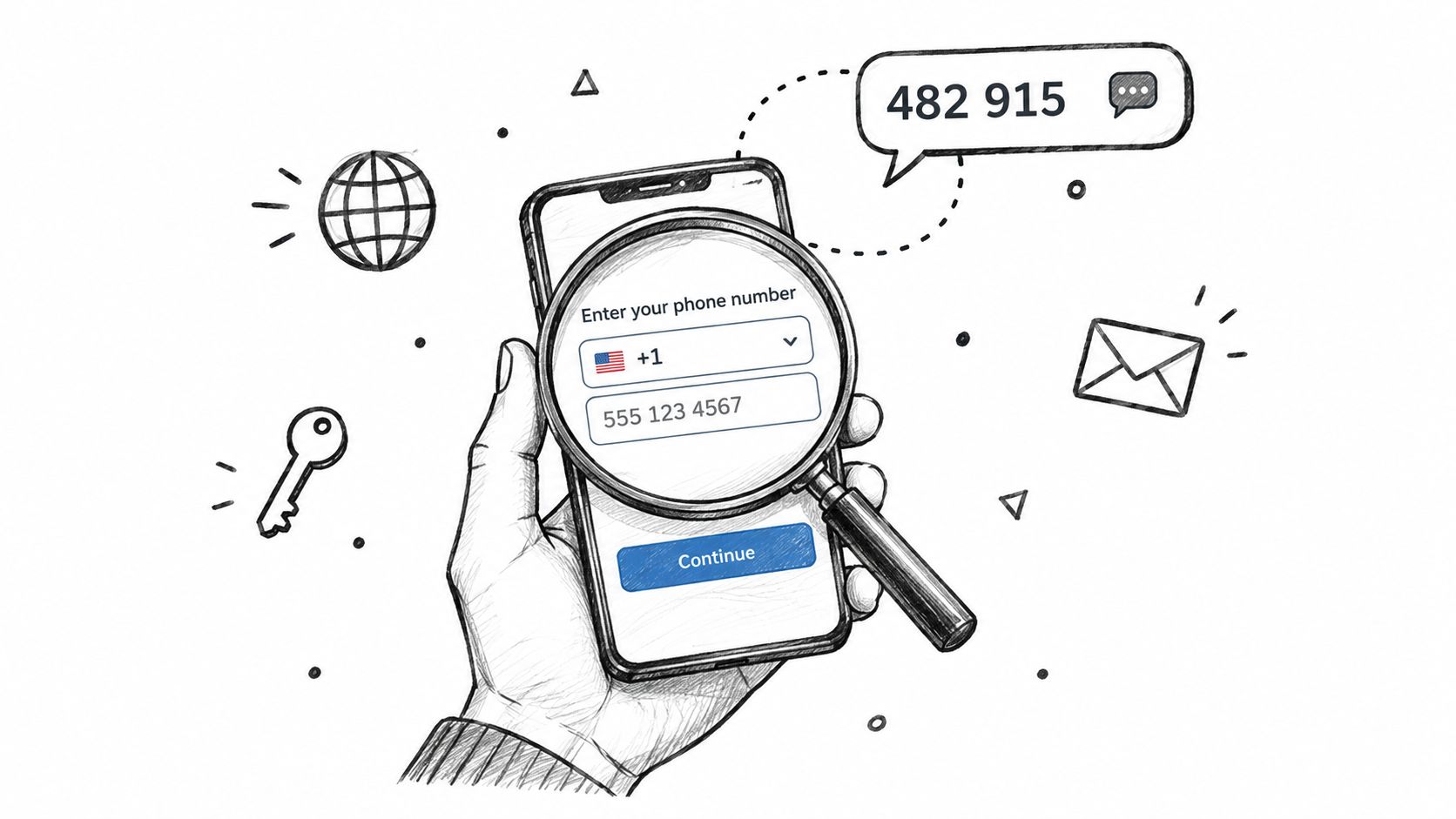
What the code process looks like
During sign-up, the user enters a phone number and chooses the matching country code from Bumble's list. Then Bumble verifies the line in one of two ways.
- SMS route: Bumble sends a four-digit code by text.
- Voice route: Bumble places a call, and the user enters the last six digits of the calling number.
That second path trips people up. Someone expecting a text-only flow can mistake the call screen for an error, even though Bumble is still trying to verify the account.
What actually matters during sign-up
For a new account, Bumble is checking whether the number can receive a live verification prompt right now. That is different from account recovery, and it is different from troubleshooting a delayed code after repeated attempts. Mixing those jobs together is where a lot of bad advice starts.
In practice, three details cause the most sign-up problems:
- the wrong country code
- a line that cannot receive the text or call promptly
- a network or device issue that interrupts delivery
Bumble's help steps reflect those limits. The company tells users to confirm the country code, wait a few minutes, restart the device, or switch between Wi‑Fi and mobile data. Those are basic fixes, but they match what usually goes wrong in real verification attempts.
For sign-up, the number has to be reachable in the moment and under the user's control.
That last part matters. A number that can receive one code once is only enough to create the account. It says nothing about whether the same line will still be available later if the user changes devices, gets logged out, or needs support help.
Choosing the Right Number Type for Your Situation
The safest choice depends on whether the goal is sign-up, ongoing account access, or a one-time privacy buffer. These aren't interchangeable.
The practical trade-off
A personal mobile line is usually the least complicated option for a Bumble account that someone plans to keep. A secondary personal number can also work if the user controls it long term and can reliably receive SMS.
Temporary or virtual numbers sit in a greyer area. Some are fine for a one-off code in general internet use, but Bumble's anti-fraud framing means number type and long-term control matter more than many readers expect. For anyone comparing number categories, this explainer on what a virtual phone number is helps clarify the terminology.
Number Type Comparison for Bumble Verification
| Number Type | Reliability for SMS Codes | Recovery Support | Risk of Flag or Ban |
|---|---|---|---|
| Personal mobile number | Usually the most straightforward option | Strongest, because the user keeps control of the line | Lower risk than short-term or recycled options |
| Secondary personal number | Can work well if SMS access is stable | Good, if the user keeps the line active | Depends on line type and account history |
| Temporary or burner-style number | Unpredictable | Weak, because long-term access may disappear | Higher risk if the line is filtered, recycled, or unsupported |
Readers also trip over formatting. A valid number entered the wrong way can fail before delivery is even attempted. This guide on how to format phone numbers in checkout is useful because the same country-code and full-number mistakes show up in app verification too.
A second number is only sensible if the user can still access it later. Privacy without recovery control is a short-lived win.
One legitimate tool category here is a temporary SMS verification service. For readers who only need to understand the concept, LineVerifier's Bumble verification page describes a flow where a user selects a supported service and country, enters the provided number on Bumble, and reads the SMS code on the order page. That can fit a narrow verification task, but it's not the same as owning a long-term personal phone line for future recovery.
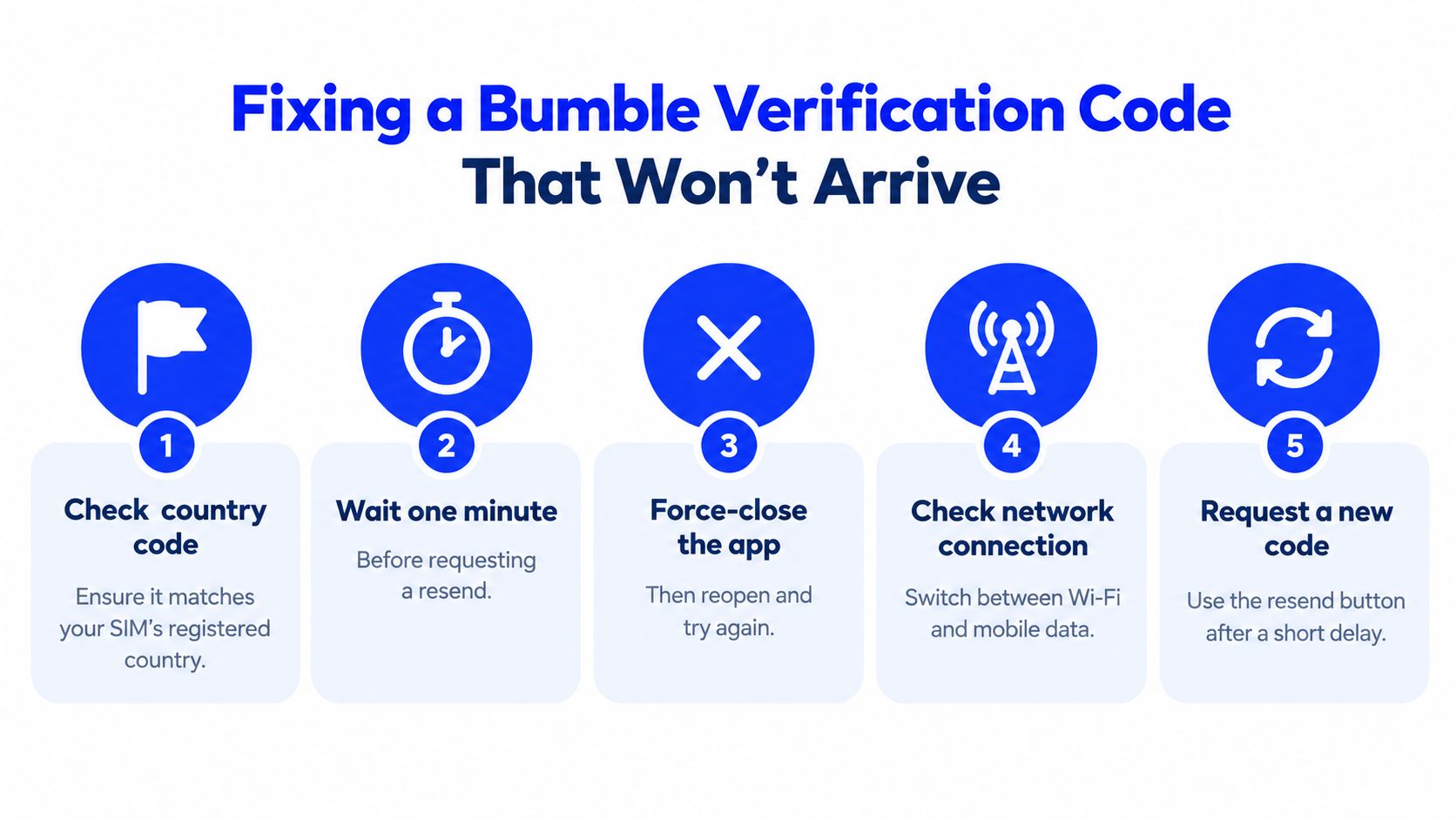
Fixing a Bumble Verification Code That Won't Arrive
You enter your number, tap for the code, and nothing shows up. In practice, this is usually a delivery or input problem during sign-up, not an account recovery issue. That distinction matters because the fix path is different.
Start with the checks Bumble itself points users to
As noted earlier, Bumble tells users to verify the number, allow a few minutes for delivery, restart the device, and try changing the connection type. That advice sounds basic, but it solves a lot of failed code requests when followed in the right order.
- Confirm the full number and country code. A single wrong digit or country selection can stop delivery before Bumble ever sends a usable SMS route.
- Wait a few minutes before requesting another code. Back-to-back resend attempts can create delays or temporary throttling.
- Close and reopen the app. I have seen stale app sessions hold onto an old prompt and confuse the next request.
- Switch between Wi-Fi and mobile data. This can help if the app request is timing out or hanging before the code request finishes.
- Restart the phone. It is a simple step, but it can clear device-level messaging glitches.
Independent troubleshooting advice also points to paced retries, filtered messages, and avoiding repeated rapid requests in this Bumble verification code guide.
Check the phone and carrier side before blaming Bumble
A code can be sent and still never reach the inbox the user checks. Spam filtering, blocked short-code messages, carrier screening, or a third-party SMS app can all get in the way.
Check blocked senders, spam folders inside the messaging app, and any security app that screens texts. If the line is a secondary or verification-only number, confirm that it can receive ordinary SMS in real time. This explainer on how to receive SMS verification code is useful if you need a clear breakdown of where delivery commonly fails.
For readers who troubleshoot messaging systems more broadly, these SupportGPT SMS tools are a useful background resource.
Know when retries stop helping
Repeated resend taps do not always move the process forward. Bumble uses anti-abuse controls, so too many attempts in a short window can lead to a cooldown even when the number itself is fine.
If the same number keeps failing after the basic checks, stop forcing new requests and let the timer reset.
This walkthrough may help some readers visualize the common failure points before contacting support.
Contact Bumble support when the problem has clearly moved beyond simple code delivery. That includes repeated code invalid errors after trying the fallback options, a number that appears unsupported, or a sign-in flow that asks for an older number you no longer control. At that point, the honest answer is support, not another round of resends.
Verification Number vs a Real Phone Line
A line that can receive one Bumble code is not always a good line to keep attached to the account.
Bumble's help and policy language make the practical point clear. The phone number is part of how Bumble verifies the account and reduces duplicate or fraudulent sign-ups. For that reason, the better question is not whether a number works once. The better question is whether you will still have that same number the next time Bumble asks for it.
Verification Number vs Real Phone Line
| Capability | Verification-Only Number | Real Phone Line |
|---|---|---|
| Receives initial sign-up code | Sometimes | Yes, if active and reachable |
| Supports future security prompts | Uncertain | More reliable |
| Works well for long-term account recovery | Weak | Strong |
| Stays under the same user's control | Not always | Usually, if maintained |
| Good fit for an ongoing Bumble account | Limited | Better fit |
The trade-off is continuity.
A real phone line usually stays with the same person, keeps receiving normal SMS, and is easier to use again if Bumble asks for another verification step months later. That matters more than people expect. In support cases, the first code is often not the hard part. The hard part is regaining access later when the original number is gone, recycled, or tied to a temporary service.
Verification-only numbers can still work for a sign-up attempt, but they are a weak choice for an account you plan to keep. Some are short-lived. Some do not handle ordinary SMS consistently. Some change hands. If you are comparing line types, this explanation of a non-VoIP number gives a useful baseline for what tends to be more dependable.
Use a number you control long term if the account matters to you. That simple choice prevents a lot of recovery trouble later.
Changing Your Number and Reaching Bumble Support
Changing the number on an existing account is not the same as opening a brand-new account with a different line. That distinction matters because a different new number doesn't recover old account data by itself.
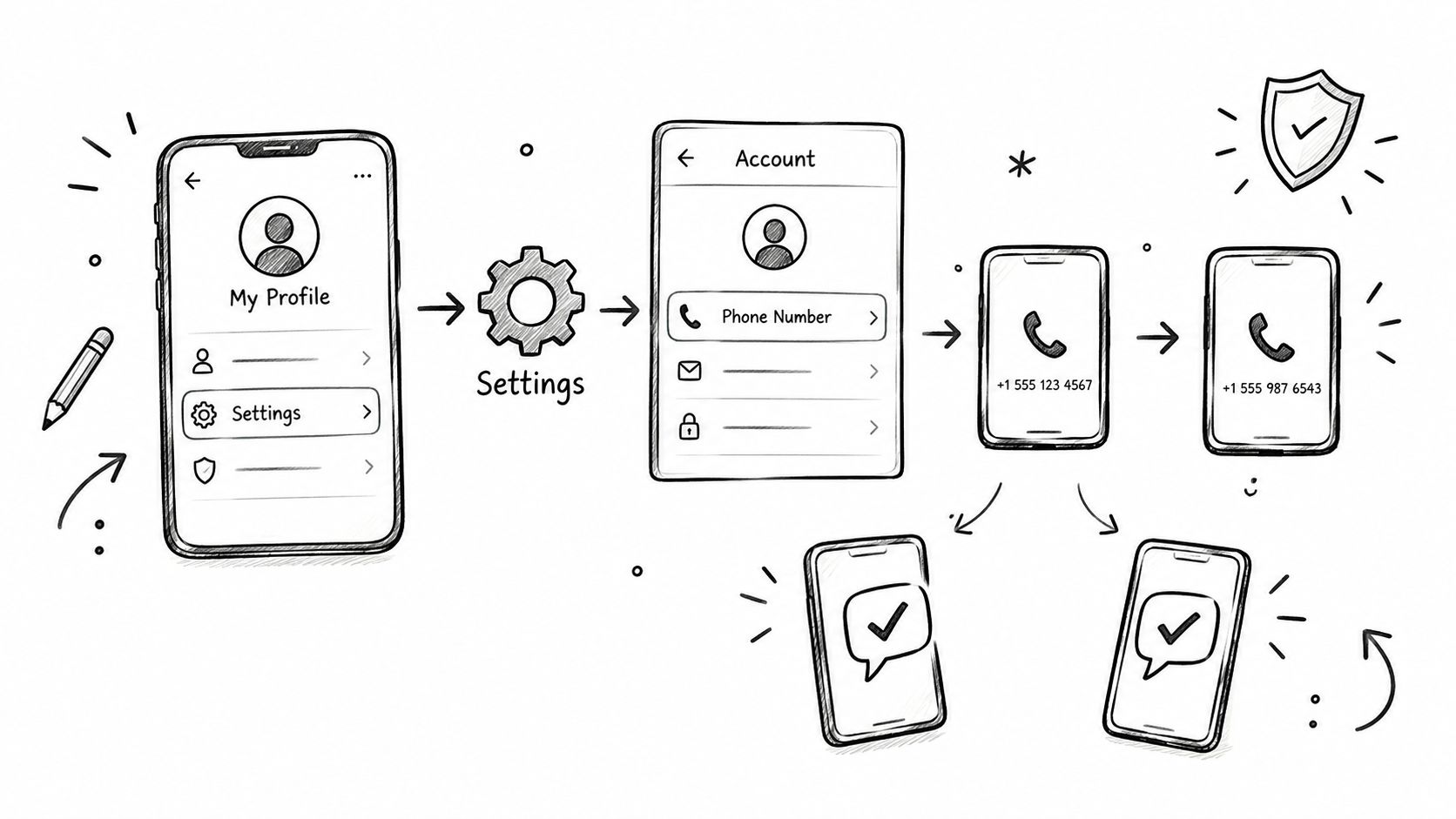
If the user can still access the account
For an account that's already open and usable, the in-app route is the right place to start. The path is:
- Profile
- Settings
- Account
- Phone Number
The user enters the new number and follows the verification prompts presented by Bumble. If the app asks for confirmation related to the old and new lines, both need to be handled as prompted inside the account flow.
If the user is locked out
Recovery is different. On the login screen, the user should use Trouble signing in? and follow the account recovery options available there, including the path for a lost number if Bumble presents it. This is the honest point where many workaround articles go wrong. A replacement number doesn't prove ownership of an older account tied to another line.
Profile verification is also a separate feature. It checks the person's profile authenticity through Bumble's in-app process. It is not the same as phone verification for sign-up or account recovery.
How to contact Bumble
Bumble doesn't publish a customer-support phone line in the materials covered here. Readers should use official support entry points inside the Help Center, the in-app Contact Us path, or Bumble's verified social support channels when those are offered by Bumble directly.
A useful support request should include:
- Account email: The email tied to the account, if one exists
- Device details: The phone model and app context
- Approximate sign-up date: Helpful for identifying the account
- Exact error text: Copy the wording instead of paraphrasing it
If someone online claims there's a direct Bumble support phone number for account recovery, that claim should be treated carefully unless Bumble itself publishes it.
Putting It All Together
The phrase Bumble phone number usually means one of three jobs. Sign up with a reachable line. Recover an account tied to an older line. Fix a code that isn't arriving on a number that should still work.
The cleanest decision order is simple:
- Use a stable number for sign-up if the account matters long term.
- Keep that line reachable if there's any chance the account will need recovery later.
- Troubleshoot in order before assuming the number itself is bad.
- Use Bumble support when the issue turns into account ownership, not message delivery.
The main distinction is the one most guides skip. A number that receives one code is not always a durable account number. And Bumble does not publish a direct phone support line in the support paths covered here, so the fix often lives in the app's recovery tools and official Help Center rather than in a workaround.
LineVerifier offers paid SMS verification numbers for supported services and countries, including Bumble-related verification use cases where a reader needs to receive an SMS code and understands the limits of a temporary number. It's most relevant for the narrow sign-up task, not as a promise of long-term recovery or guaranteed acceptance by Bumble. Readers who want to review the current options can visit LineVerifier.